Free Unicode Text Generator for Cool Fancy Fonts Online
A free unicode text generator lets you transform plain text into cool fancy fonts in seconds. Whether you want stylish fonts for social media, profiles, or creative projects, these online tools make it easy. You simply type your text, pick a font style, and copy it right to your clipboard. No downloads, no subscriptions, and no technical skills needed. This guide walks you through everything you need to know about using a unicode text generator online.
Have you ever scrolled through social media and seen those cool, stylish letters that look nothing like a normal keyboard font? Maybe you noticed someone’s Instagram bio with fancy curly letters or a Twitter post with bold, eye-catching text. You probably wondered how they did it. The secret is simple: they used a unicode text generator.
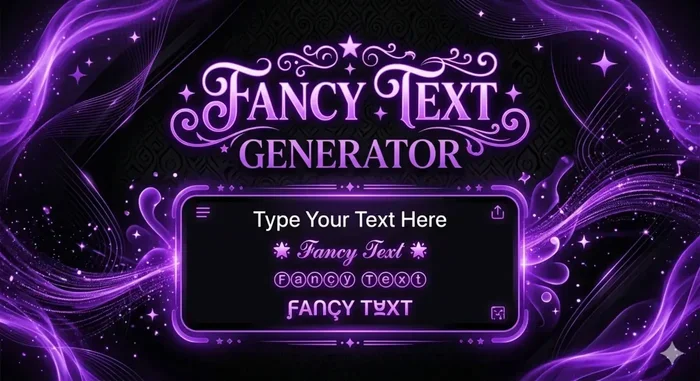
A unicode text generator is a free online tool that turns regular text into decorative, stylized fonts. You type in your name, a quote, or any words you want, and the tool converts them into fancy unicode characters. Then you just copy and paste the result wherever you want. It is that easy. No software to install, no paid subscriptions, and no design experience required.
In this guide, we will walk you through everything you need to know about unicode text generators. You will learn how they work, what styles are available, where to use them, and tips for getting the best results. Let us dive in.
Key Takeaways
- Easy to Use: A unicode text generator works right in your browser with no setup required.
- Free and Instant: You can create fancy fonts online for free and copy them immediately.
- Social Media Ready: These tools help you stand out on Instagram, Twitter, TikTok, and more.
- Multiple Styles: You can choose from dozens of unicode font styles including bold, italic, script, and more.
- No Design Skills Needed: Anyone can create beautiful decorative text with just a few clicks.
- Works Everywhere: Unicode fonts work on most platforms that support text input.
📑 Table of Contents
What Is a Unicode Text Generator?
A unicode text generator is an online tool that converts standard text into special characters from the unicode standard. Unicode is a computing system that assigns a unique number to every character used in writing systems around the world. This means it includes letters, symbols, numbers, and decorative characters from virtually every language and script.
When you use a fancy text generator, you are actually accessing a library of unicode characters that look different from your regular keyboard letters. For example, the letter “A” on your keyboard looks one way, but a unicode text generator can turn it into 𝕬, 𝔸, 𝒜, 𝕒, or many other styles. These are all different unicode code points that represent the same letter but in a different visual form.
People use these tools for many reasons. Some want to make their social media profiles look unique. Others need decorative text for posters, presentations, or personal projects. Whatever your reason, a unicode text generator makes it quick and simple.
How Unicode Text Generators Work
Behind the scenes, a unicode text generator does not actually “create” new fonts. Instead, it maps your regular text characters to existing unicode characters that look decorative. Think of it like a translation tool, but instead of translating English to Spanish, it translates normal text into fancy unicode symbols.
Here is a simple breakdown of the process:
- Step 1: You type your text into the input box on the generator website.
- Step 2: The tool reads each character and finds a matching unicode character in a different style.
- Step 3: The converted text appears in the output box in real time.
- Step 4: You click a button to copy the fancy text to your clipboard.
- Step 5: You paste it wherever you want, and it displays the decorative version.
Just like a generator transforms one form of energy into another, a unicode text generator transforms plain text into stylized text using a different character set. The process happens instantly, and the results are ready to use right away.
Popular Unicode Font Styles You Can Create
One of the best things about a unicode text generator is the huge variety of styles you can choose from. Different websites offer different sets of styles, but here are the most popular ones you will find:
Bold and Bold Italic Fonts
Bold unicode fonts make your text stand out immediately. They use thicker unicode characters that look heavier than standard text. Bold italic styles add a slanted effect on top of the bold weight. These styles work great for headings, titles, and any text where you want extra emphasis.
For example, “Hello” in bold unicode might look like 𝗛𝗲𝗹𝗹𝗼, and in bold italic it could look like 𝑯𝒆𝒍𝒍𝒐.
Script and Cursive Fonts
Script fonts mimic handwritten or calligraphy-style lettering. They are perfect for wedding invitations, personal messages, or anything that needs an elegant touch. Cursive unicode fonts flow together like real handwriting, giving your text a personal, artistic feel.
Keep in mind that script unicode characters are not actual handwriting. They are carefully designed unicode symbols that resemble cursive letters. Some platforms may not display them perfectly, but most modern social media sites handle them well.
Small and Tiny Fonts
Small text fonts use unicode subscript and superscript characters to create tiny versions of your text. These are popular for Instagram bios, Twitter bios, and Discord usernames where space is limited. You might see someone with a tiny “ᴵ ᴬᴹ” in their profile, and that was made with a unicode text generator.
Gothic and Old English Fonts
Gothic unicode fonts have a dark, medieval look with sharp edges and ornate details. Old English styles take this further with elaborate decorative strokes. These styles work well for Halloween posts, fantasy content, or anything with a dramatic or historical theme.
Circled and Bracketed Fonts
Circled unicode characters place each letter inside a circle or bracket. This style is fun for lists, labels, and creative posts. You might see “① ② ③” or “ⒶⒷⒸ” used in creative ways on social media.
Best Free Unicode Text Generators Online
There are many websites that offer free unicode text generation. Here are some tips for finding the best ones:
What to Look For in a Unicode Text Generator
- Variety of Styles: A good generator offers many different font styles to choose from.
- Real-Time Preview: You should see your converted text instantly as you type.
- Easy Copy Button: The copy function should work smoothly so you can paste your text right away.
- No Sign-Up Required: The best tools let you use them without creating an account.
- Mobile Friendly: You should be able to use the tool on your phone or tablet as easily as on a computer.
- No Ads or Popups: Clean interfaces make the experience much better.
When choosing a fancy text converter, look for one that updates its character library regularly. Unicode is a living standard, and new characters get added all the time. The best generators stay current with these updates so you have access to the latest styles.
How to Choose the Right Style for Your Needs
Not all unicode font styles work well in every situation. Here is a quick guide to help you pick the right one:
- Social Media Bios: Small text, bold, or circled fonts work great for limited space.
- Posts and Captions: Script, bold, or gothic fonts add personality to your content.
- Event Invitations: Script and cursive fonts give an elegant, formal feel.
- Gaming Names: Bold, gothic, or small text fonts make your gamer tag stand out.
- Presentations: Bold and italic styles help emphasize key points.
Think about where you will use the text before you choose a style. A font that looks amazing on a desktop might not display correctly on mobile. Always test your unicode text on the platform where you plan to use it.
How to Use a Unicode Text Generator
Using a unicode text generator is incredibly simple. Follow these steps to create your own fancy text in under a minute:
- Open the generator website in your browser. You do not need to download anything.
- Type your text into the input box. This can be a name, a phrase, a quote, or anything you want.
- Browse the font styles displayed below the input box. Each style shows a live preview of your text.
- Click on the style you like best. The converted text will be highlighted automatically.
- Click the copy button next to the converted text.
- Paste the text into your social media bio, document, message, or anywhere else you want it.
That is it! Your fancy unicode text is ready to use. You can generate as many different styles as you want, and there is no limit on how many times you can use the tool.
Tips for Getting the Best Results
- Keep it short: Fancy unicode fonts can be harder to read when used for long paragraphs. Stick to short phrases, names, or headings.
- Match the platform: Some social media sites may strip out certain unicode characters. Test your text before you post it.
- Use it sparingly: Too many different font styles in one place can look messy. Pick one or two styles and use them consistently.
- Check readability: Make sure your audience can actually read the text. If it looks like a puzzle, it might not serve its purpose.
- Combine with regular text: Mixing fancy unicode text with normal text creates nice contrast and visual interest.
Where Can You Use Unicode Fancy Text?
The beauty of a unicode text generator is that you can use the results almost anywhere that accepts text input. Here are the most popular places people use fancy unicode fonts:
Social Media Profiles
Instagram bios, Twitter headers, Facebook about sections, TikTok descriptions, and LinkedIn profiles all accept unicode text. A stylish font can make your profile look professional, creative, or fun depending on the style you choose. Many influencers and brands use unicode fonts to make their profiles stand out from the crowd.
Messaging Apps
WhatsApp, Telegram, Discord, and Slack all support unicode characters. You can use fancy text in group chats, status updates, or channel names. It is a fun way to express yourself and add personality to your conversations.
Creative Projects
If you design posters, flyers, digital invitations, or social media graphics, unicode fonts can add a unique touch. They work especially well for digital designs where you want a clean, vector-like text effect without needing graphic design software.
Gaming and Streaming
Gamers and streamers love unicode fonts for their usernames, channel descriptions, and overlay text. A unique gothic or script font can make your gaming identity memorable and recognizable.
Common Mistakes to Avoid
While using a unicode text generator is straightforward, there are a few common mistakes to watch out for:
- Using too many styles at once: This creates visual clutter and makes your text hard to read.
- Assuming all platforms support unicode: Some older systems or apps may not display certain unicode characters correctly.
- Using fancy fonts for long paragraphs: Decorative unicode characters are designed for short text, not body content.
- Ignoring accessibility: Some unicode fonts are difficult for people with visual impairments to read.
- Not testing before posting: Always preview your unicode text on the actual platform to make sure it displays correctly.
Avoiding these mistakes will help you get the best results every time you use a unicode text generator. Keep it simple, keep it readable, and keep it fun.
Why Unicode Text Generators Are So Popular
The rise of social media has made personal branding more important than ever. People want their online presence to reflect their personality, and unique fonts are an easy way to do that. A unicode text generator gives everyone access to stylish typography without needing any design skills or expensive software.
These tools also tap into our natural desire for self-expression. Just like choosing a outfit or decorating your room, choosing a font style is a way to show who you are. Whether you prefer bold and powerful, elegant and flowing, or playful and quirky, there is a unicode font style for you.
The best part is that these tools are completely free. You do not need to pay for premium fonts or subscribe to design services. A simple online unicode text generator gives you access to hundreds of font styles at zero cost. This accessibility is a big reason why they have become so widely used.
Think of it like building a cobblestone generator in a game. You gather simple resources and create something impressive. A unicode text generator takes simple keyboard letters and transforms them into something visually striking and unique.
Final Thoughts
A free unicode text generator is one of the simplest and most fun tools you can use to enhance your online presence. Whether you are updating your social media bio, creating a post, designing a graphic, or just want to add some flair to your messages, these tools make it easy and instant.
The process is quick, the results are impressive, and there is no cost involved. With dozens of font styles to choose from, you can create text that looks professional, artistic, playful, or dramatic depending on your mood and purpose.
So the next time you want to make your text stand out, open a unicode text generator online, type your words, pick a style, and copy your fancy text. It is a small change that can make a big difference in how your content looks and feels. Give it a try and see how easy it is to turn ordinary text into something extraordinary.
Frequently Asked Questions
What is a unicode text generator?
A unicode text generator is a free online tool that converts regular text into decorative, stylized unicode characters. You type your text, choose a font style, and the tool transforms it into fancy letters you can copy and paste.
Are unicode text generators really free?
Yes, most unicode text generators are completely free to use. You do not need to create an account, pay a subscription, or download any software. Just visit the website, generate your text, and copy it.
Can I use unicode fancy fonts on all social media platforms?
Most modern social media platforms support unicode characters, including Instagram, Twitter, Facebook, TikTok, and Discord. However, some older platforms or specific features may not display all unicode fonts correctly. Always test your text before posting.
Do unicode text generators work on mobile devices?
Yes, most unicode text generator websites are mobile-friendly and work great on phones and tablets. You can generate and copy fancy text right from your mobile browser.
Why do some unicode fonts look different on different devices?
Different devices and operating systems have their own unicode rendering engines. This means the same unicode character might look slightly different on an iPhone compared to an Android phone or a Windows computer. The underlying character is the same, but the visual display varies.
Can I use unicode text generators for commercial projects?
Yes, you can use text generated by a unicode text generator for commercial projects. The unicode characters are part of a universal standard and are not owned by any single generator website. However, always make sure the text remains readable and accessible to your audience.
=== CONCLUSION ===
A free unicode text generator is a powerful yet simple tool that lets anyone create cool fancy fonts in seconds. Whether you are spicing up your social media profile, designing a creative project, or just want your text to stand out, these online tools deliver amazing results with zero effort. The variety of styles available means there is something for everyone, from bold and dramatic to elegant and subtle. With no cost, no downloads, and no design skills required, there is no reason not to try one today. Start exploring unicode text generators now and turn your plain text into something truly eye-catching.