Corrupt File Generator How to Create Corrupted Files
A corrupt file generator is a tool that creates damaged or broken files for testing and development purposes. Corrupted files help developers and IT professionals check how software handles errors, data loss, and file integrity issues. This guide covers everything you need to know about using a corrupt file generator effectively and safely.
A corrupt file generator is a surprisingly useful tool that many people have never heard of. If you have ever opened a file and seen a wall of gibberish instead of the content you expected, you know how frustrating a corrupted file can be. But what if you could create those corrupted files on purpose? That is exactly what a corrupt file generator does.
These tools serve a very important purpose in the world of software development and IT testing. They allow professionals to simulate damaged files, test recovery methods, and build more robust software that can handle unexpected data problems gracefully. Whether you are a developer, a tester, or simply curious about how file corruption works, understanding corrupt file generators can open up a world of practical possibilities.
In this guide, we will walk you through everything you need to know. We will cover what a corrupt file generator is, why you might need one, how to create corrupted files, the different types of file corruption, and how to test and fix damaged files. By the end, you will have a solid understanding of this niche but valuable tool.
Key Takeaways
- Corrupt file generators are essential tools for testing how software and systems handle damaged or broken data files.
- Creating corrupted files helps developers find bugs, test recovery tools, and improve software resilience.
- There are several methods to generate corrupted files, including hex editing, random byte injection, and using dedicated tools.
- Always use corrupted files in safe, controlled environments to avoid unintended data loss or system issues.
- File corruption testing is a key part of software quality assurance and cybersecurity research.
- Understanding data corruption patterns helps you build better file validation and error-handling systems.
📑 Table of Contents
What Is a Corrupt File Generator?
A corrupt file generator is a software tool designed to intentionally create files with damaged, altered, or random data. These files mimic the kind of corruption that can happen naturally due to hardware failures, software bugs, or transmission errors. The key difference is that with a corrupt file generator, you have full control over what gets corrupted and how.
Think of it like this. Imagine you want to test how well your phone handles a damaged photo file. Instead of waiting for a real corruption event to happen, you can use a corrupt file generator to create a broken photo file on purpose. This gives you a reliable and repeatable way to test your software or system.
These generators work at the binary level. They modify the raw data inside a file, which can break the file in various ways. Some corruptions affect the file header, which tells the software what kind of file it is. Other corruptions target the actual content data. And some corrupt the entire file from start to finish. A good corrupt file generator lets you choose the type and extent of corruption.
How Does File Corruption Work?
To understand how a corrupt file generator works, it helps to understand how file corruption happens naturally. Every file on your computer is made up of a sequence of bytes. These bytes follow a specific structure or format depending on the file type. For example, a JPEG image file has a header that identifies it as an image, followed by metadata, and then the actual pixel data.
When corruption occurs, some of those bytes get changed, deleted, or rearranged. This breaks the structure of the file. The software trying to read the file then encounters data it does not expect, and it fails to display or process the content correctly. A corrupt file generator simply automates this process in a controlled way.
Common causes of natural file corruption include sudden power loss during a file save, faulty hard drives, malware infections, and interrupted file transfers. A corrupt file generator simulates these scenarios without the risk or unpredictability of real-world corruption events.
Why Would You Need to Create Corrupted Files?
You might wonder why anyone would want to create broken files on purpose. The truth is that corrupted files serve a vital role in several important fields. Let us explore the main reasons why people use a corrupt file generator.
Software Testing and Quality Assurance
Software developers need to make sure their applications can handle bad input gracefully. If a user accidentally opens a corrupted file, the software should not crash. It should display a helpful error message and ideally offer to recover or skip the damaged data. Testing this behavior requires access to damaged files, which is where a corrupt file generator becomes invaluable.
Quality assurance teams use corrupted files to run stress tests. They want to know: What happens when the file header is completely missing? What if only a few bytes in the middle are changed? What if the entire file is random noise? A corrupt file generator can answer all of these questions systematically.
Data Recovery Tool Development
Data recovery specialists also rely on corrupted files to test and improve their tools. If you are building software that claims to recover damaged files, you need a way to create known-damaged files to test your recovery algorithms against. A corrupt file generator gives you that ability. You can create files with specific types of damage and then verify that your recovery tool can fix them.
Cybersecurity Research
Security researchers use file corruption techniques to study how malware exploits file format vulnerabilities. By creating corrupted files with specific patterns, researchers can identify weaknesses in file parsers and help software vendors patch those vulnerabilities before they are exploited in the wild.
Educational Purposes
Teachers and trainers sometimes use corrupted files to demonstrate how file formats work. When students see a perfectly valid PDF file turn into gibberish after a few bytes are changed, they gain a much deeper understanding of file structure and data integrity.
How to Create Corrupted Files Using a Corrupt File Generator
Now that you understand the why, let us look at the how. Creating corrupted files with a corrupt file generator is straightforward, but there are several approaches you can take depending on your needs.
Method 1: Using a Dedicated Corrupt File Generator Tool
The simplest approach is to use a tool specifically designed for this purpose. These tools typically let you upload a clean file and then apply various types of corruption. You can choose to corrupt the file header, scramble the content, or insert random bytes at specific positions.
Most corrupt file generator tools work with common file formats like PDF, JPEG, PNG, MP4, and DOCX. You simply select your file, choose the corruption type, and let the tool do its work. The output is a corrupted file that you can use for testing or analysis.
One thing to keep in mind is that these tools vary in quality and features. Some offer fine-grained control over exactly which bytes get changed, while others apply random corruption across the entire file. Choose a tool that matches your specific testing needs.
Method 2: Using a Hex Editor
For more control, you can use a hex editor to manually corrupt a file. A hex editor lets you view and edit the raw binary data of any file. This approach takes more time, but it gives you precise control over what gets changed.
To corrupt a file with a hex editor, you open the file in the editor and then modify individual bytes. You can change a few bytes in the header to break the file identification, or you can scramble large sections of content data. This method is popular among security researchers who need very specific types of file corruption.
Method 3: Random Byte Injection
Another approach is to write a simple script that reads a file, injects random bytes at random positions, and saves the result. This is a quick and easy way to create corrupted files in bulk. Many developers write simple Python or Bash scripts for this purpose.
The advantage of this method is that you can create hundreds or thousands of corrupted files with varying levels of damage. This is useful for automated testing pipelines where you need a large dataset of damaged files to test against.
Method 4: Truncating the File
The simplest form of corruption is simply cutting off part of the file. You can use a basic file editor or command-line tool to truncate a file, removing its last few kilobytes or even most of its content. This simulates what happens when a file transfer is interrupted or a disk write fails midway.
Truncated files are especially useful for testing how software handles incomplete data. Many applications crash or behave unpredictably when they encounter a file that is suddenly cut short, so testing with truncated files is a valuable part of file integrity testing.
Common Types of File Corruption
Not all file corruption is the same. Understanding the different types of data corruption can help you choose the right approach when using a corrupt file generator. Here are the most common types.
Header Corruption
The file header is the first few bytes of a file that identify its format and contain important metadata. When the header is corrupted, the software cannot even recognize what type of file it is. This is like tearing the label off a box and then trying to figure out what is inside. Header corruption is one of the most common types of damage that a corrupt file generator can simulate.
Content Corruption
Content corruption affects the actual data inside the file. For an image file, this might mean that pixels are changed or missing. For a text document, it might mean that characters are replaced with random symbols. Content corruption can range from minor (a few pixels look wrong) to severe (the entire file is unreadable).
Structural Corruption
Some file formats have complex internal structures with indexes, tables, and references. When these structures are damaged, the file may appear intact at first glance but fail when you try to access specific parts of it. Structural corruption is particularly tricky because it can be hard to detect and even harder to repair.
Complete Corruption
In the most extreme case, every byte in the file is replaced with random data. The file is completely unrecognizable and cannot be recovered by any normal means. Complete corruption is useful for testing how software handles the worst-case scenario of a damaged file.
How to Test and Fix Corrupted Files
Creating corrupted files is only half the battle. The other half is testing how well your software or systems handle them, and then fixing the damage when needed.
Testing File Recovery Methods
Once you have a set of corrupted files, you can test various recovery methods against them. Does your backup system restore the files correctly? Does your data recovery software find and repair the damage? These are important questions that a corrupt file generator helps you answer.
A good testing workflow involves creating a clean file, corrupting it with a corrupt file generator, attempting recovery, and then comparing the recovered file to the original. If they match, your recovery method works. If not, you know there is a gap that needs to be addressed.
Using Error Messages to Diagnose Corruption
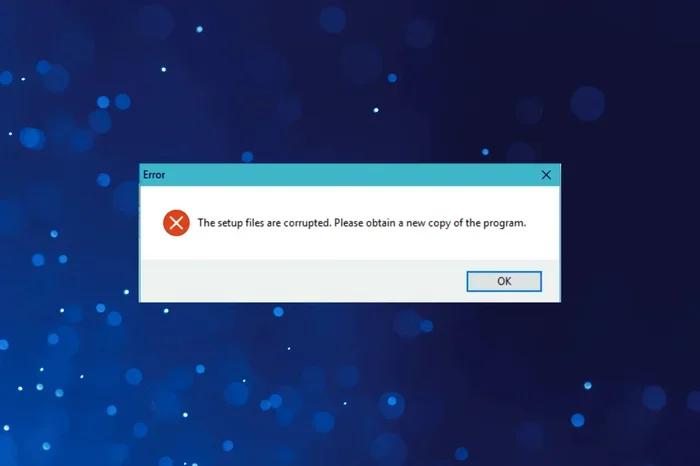
When software encounters a corrupted file, it usually produces some kind of error message. These messages can be very helpful for diagnosing what went wrong. If you want to test how your application handles error scenarios, you can use tools like an error message generator to simulate the kinds of messages users might see when they encounter a damaged file.
Effective error handling is a sign of well-built software. When your application gracefully handles a corrupted file and guides the user toward a solution, it builds trust and reduces frustration.
File Integrity Checks
One of the best ways to protect against file corruption is to implement file integrity checks. These checks use algorithms like checksums or hash functions to verify that a file has not been changed or damaged. Before opening an important file, the software can run a quick integrity check and warn you if the file appears to be corrupted.
Many modern file formats include built-in integrity checks. For example, ZIP files use CRC checksums to detect corruption. PDF files can include digital signatures that verify the file has not been tampered with. Understanding these mechanisms is an important part of working with corrupted files and building resilient systems.
Comparing Corruption Methods
Not all methods for creating corrupted files are equally useful for every testing scenario. Here is a quick comparison of the most common approaches.
| Method | Control Level | Ease of Use | Best For |
|---|---|---|---|
| Dedicated Corrupt File Generator | Medium to High | Easy | Quick testing, bulk file generation |
| Hex Editor | Very High | Moderate | Precise, targeted corruption |
| Random Byte Injection Script | Low to Medium | Moderate | Automated testing pipelines |
| File Truncation | Low | Very Easy | Testing incomplete file handling |
Each method has its strengths. For quick and easy testing, a dedicated corrupt file generator tool is hard to beat. For precise control over the type and location of corruption, a hex editor is the way to go. For large-scale automated testing, a custom script that injects random bytes is the most efficient approach.
Best Practices for Using a Corrupt File Generator
Using a corrupt file generator is straightforward, but there are some important best practices to keep in mind. These tips will help you get the most out of your testing while keeping your systems safe.
Always Work on Copies
Never corrupt the original version of an important file. Always make a copy first and corrupt the copy. This ensures that you always have a clean version to compare against and prevents accidental data loss.
Use Controlled Environments
Run your corrupted file tests in isolated environments. Do not test on production systems or machines that contain important data. Use virtual machines or dedicated test environments where any crashes or issues will not affect your real work.
Document Your Tests
Keep detailed records of what you corrupted, how you corrupted it, and what the results were. This documentation is invaluable for tracking down bugs, reproducing issues, and sharing findings with your team. If you are using a corrupt file generator for professional work, proper documentation is essential.
Vary the Types of Corruption
Do not just test with one type of corruption. Use your corrupt file generator to create files with different types and levels of damage. Test header corruption, content corruption, structural corruption, and complete corruption. The more diverse your test cases, the more confident you can be in your software’s resilience.
Clean Up After Testing
When you are done testing, make sure to delete your corrupted files securely. Do not leave damaged files lying around where they could be accidentally opened, shared, or uploaded to a production system. A quick cleanup keeps your workspace organized and your systems safe.
Consider the Ethical Implications
While creating corrupted files for testing and research is perfectly legitimate, it is important to use these tools responsibly. Do not use a corrupt file generator to intentionally damage someone else’s files or to create malware. Always stay on the right side of ethics and the law.
Conclusion
A corrupt file generator is a powerful and versatile tool that serves an important role in software development, IT testing, data recovery, and cybersecurity research. Whether you need to test how your application handles damaged files, develop better recovery tools, or simply understand how file corruption works, a corrupt file generator gives you the control and precision you need.
By following the methods and best practices outlined in this guide, you can create corrupted files safely and effectively. Remember to always work on copies, use controlled environments, and document your testing process. With the right approach, a corrupt file generator becomes an indispensable part of your testing toolkit.
File corruption is a natural part of the digital world, and being prepared for it is one of the best things you can do as a developer or IT professional. Start experimenting with a corrupt file generator today, and you will be better equipped to handle whatever corrupted files throw your way tomorrow.
Frequently Asked Questions
What is a corrupt file generator used for?
A corrupt file generator is used to create intentionally damaged files for testing software, developing recovery tools, and conducting cybersecurity research. It helps developers and IT professionals see how their systems handle broken or corrupted data in a safe and controlled way.
Is it legal to use a corrupt file generator?
Yes, using a corrupt file generator for testing, research, and educational purposes is completely legal. However, you should never use these tools to intentionally damage someone else’s files or to create malware. Always use corrupted files responsibly and ethically.
Can corrupted files be recovered?
Some corrupted files can be recovered depending on the type and extent of the damage. Header corruption and minor content corruption are often repairable. Complete corruption or structural damage may be impossible to fix. Data recovery tools and file integrity checks can help determine whether a damaged file is recoverable.
What are the common causes of file corruption?
Common causes include sudden power loss during file saves, faulty storage hardware, malware infections, interrupted file transfers, and software bugs. A corrupt file generator simulates these scenarios in a controlled environment so you can test how your systems respond to each type of damage.
How do I choose the right corrupt file generator tool?
Look for a tool that supports the file formats you need, offers the level of control you want, and is easy to use. Some tools are designed for quick, simple corruption, while others provide fine-grained control over exactly which bytes get changed. Consider your specific testing needs when choosing a corrupt file generator.
What is the difference between file corruption and file encryption?
File corruption is unintentional damage that makes a file unreadable or broken. File encryption is a deliberate process that scrambles file contents to protect them, but the original data can be recovered with the correct key. A corrupt file generator creates the former, not the latter. Encrypted files are not corrupted; they are just protected.