How to Use a Sticker Generator to Create Custom Stickers
A sticker generator lets you design custom stickers quickly and affordably from your computer or phone. Whether you want printable stickers for your business, personal labels, or fun hobby projects, these tools make it simple. This guide walks you through everything from choosing the right tool to printing your finished designs.
Have you ever wanted to make your own stickers but thought it was too hard or too expensive? Think again. A sticker generator changes the game completely. These handy online tools let you design, customize, and print custom stickers in minutes. You do not need to be a graphic designer. You do not need expensive software. All you need is an idea and a few minutes of your time.
People use sticker generators for all kinds of reasons. Some want personalized stickers for their laptops and water bottles. Others need vinyl stickers for their small businesses. Teachers make them for classroom rewards. Etsy sellers use them to build their product lines. The possibilities are truly endless. In this guide, we will walk you through every step of the process. By the end, you will know exactly how to create stunning stickers from start to finish.
Now, you might be wondering how this is different from a power generator — and that is a fair question! A power generator produces electricity to run your home or tools. A sticker generator produces designs for printing. Both are incredibly useful, but they serve very different purposes. If you are curious about power generators, you can check out our guide on what kind of generator you need for your home or project. But for now, let us focus on creating amazing stickers!
Key Takeaways
- Sticker generators save time and money compared to hiring a professional designer.
- Free and paid options exist, so you can start without any investment.
- Custom sticker design requires the right dimensions, colors, and file formats.
- Printing at home is easy once you know which materials and printers work best.
- Using a sticker generator is different from using a power generator — one creates designs, the other produces electricity!
- Starting a sticker business is more accessible than ever with these digital tools.
📑 Table of Contents
What Is a Sticker Generator?
A sticker generator is a digital tool that helps you create sticker designs without needing advanced design skills. These tools come with built-in templates, shapes, text options, and graphics. You simply pick what you like, add your own text or images, and download the file. It is that simple.
How Does a Sticker Generator Work?
Most sticker generators work right in your web browser. You do not need to download anything. Here is a quick look at how the process flows:
- You choose a template or start from a blank canvas.
- You add text, images, shapes, and colors.
- You resize and arrange your design on the page.
- You download the file in a print-ready format.
- You print the design on sticker paper at home or send it to a print shop.
Some generators are free. Others charge a small monthly fee for premium features. The best part? Even the free versions offer plenty of creative options. You can make professional-looking sticker designs without spending a dime.
Sticker Generators vs. Traditional Design Software
You might be thinking about using Photoshop or Canva instead. Those are great tools, but they have a steeper learning curve. A dedicated sticker maker is built specifically for sticker creation. The templates are already sized correctly. The tools are simplified for quick results. You spend less time learning and more time creating.
It is a bit like the difference between using a portable power generator for a quick job versus wiring a whole backup system for your home. Both get the job done, but one is faster and more focused. If you want to learn more about how different generators serve different purposes, check out our article on how much gas a generator uses for a fun comparison of efficiency across different tools!
Why Use a Sticker Generator?
There are so many reasons to use a sticker generator for your custom sticker projects. Let us break down the biggest benefits.
1. Save Money
Hiring a graphic designer can cost anywhere from $50 to $500 or more per design. A sticker generator costs much less — often nothing at all. Even paid plans are usually under $10 per month. That is a tiny fraction of what you would pay for professional design work.
2. Save Time
Traditional design projects can take days or even weeks. With a sticker creator, you can have a finished design in under an hour. The templates are ready to go. The drag-and-drop interface makes editing effortless. You can create an entire sheet of stickers in one sitting.
3. Full Creative Control
When you use a sticker design tool, you are in charge. You pick the colors, the fonts, the shapes, and the layout. You can experiment with different ideas until you get exactly what you want. No waiting for a designer to make changes. No back-and-forth emails. Just instant creativity.
4. Great for Small Businesses
If you run a small business, custom stickers are a fantastic marketing tool. They brand your products. They make great giveaways at events. They add a personal touch to packaging. A sticker generator gives small business owners the power to create professional branding materials without a big budget.
How to Choose the Right Sticker Generator
Not all sticker generators are created equal. Some are better for beginners. Others offer advanced features for experienced designers. Here is what to look for when picking your tool.
Ease of Use
This should be your top priority, especially if you are new to design. Look for a generator with a clean, simple interface. The best tools let you start with a template and customize it in minutes. If you find yourself struggling to figure out how to add text or change colors, it is probably not the right fit.
Template Variety
A good sticker generator offers a wide range of templates. You want options for different shapes, sizes, and styles. Whether you need round stickers, rectangular labels, or die-cut designs, the template library should have you covered.
Customization Options
Check what customization features are available. Can you upload your own logo? Can you change fonts and colors? Can you add borders and shadows? The more options you have, the more unique your personalized stickers will be.
Export Formats
Make sure the tool lets you download your design in the right format. PDF and PNG are the most common for printing. Some generators also offer SVG files, which are great for vinyl cutting machines. Always check the export options before you commit to a tool.
Cost
Many sticker design tools offer free versions with basic features. Paid plans usually unlock more templates, higher-quality downloads, and commercial use rights. Think about what you need and choose accordingly. You can always start free and upgrade later.
Step-by-Step: Creating Your First Sticker
Ready to make your own custom stickers? Here is a simple walkthrough you can follow right now.
Step 1: Pick Your Sticker Generator
Choose a tool that fits your needs. Some popular options include free online generators, Canva, and dedicated sticker maker websites. Pick one that has the templates and features you want.
Step 2: Choose a Template
Browse the template library. Pick one that matches the style you are going for. If you are making a business sticker, look for clean, professional designs. If it is for fun, go bold and colorful.
Step 3: Customize Your Design
This is the fun part. Change the text to your own words. Swap out colors to match your brand or personal style. Add your logo or upload a photo. Resize elements until everything looks just right.
Step 4: Set the Correct Dimensions
Before you download, make sure your design is the right size. Standard sticker sizes range from 2 inches to 5 inches. If you are printing at home, check your printer settings. If you are sending to a print shop, follow their size guidelines exactly.
Step 5: Download and Print
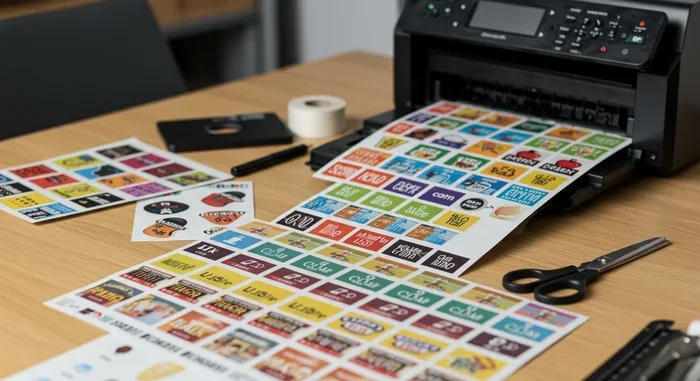
Export your design as a PDF or PNG file. Print it on sticker paper using your home printer. For best results, use glossy or matte sticker paper depending on the look you want. Let the ink dry completely before peeling or cutting.
Creating digital stickers this way is incredibly rewarding. You can make as many as you want, experiment with different styles, and refine your designs over time. It is a skill that gets easier and more fun with every project.
Printing Your Stickers at Home
Once your design is ready, the next step is printing. Home printing is convenient and cost-effective. But there are a few things you need to know to get great results.
Choose the Right Sticker Paper
Not all sticker paper is the same. Here are the most common types:
- Glossy sticker paper — gives a shiny, polished look. Great for product labels and decorative stickers.
- Matte sticker paper — has a flat, non-reflective finish. Popular for a modern, subtle look.
- Vinyl sticker paper — weather-resistant and durable. Perfect for outdoor use and water bottles.
- Clear sticker paper — lets the surface underneath show through. Fun for decorating windows and jars.
Printer Settings Matter
Use the highest print quality setting on your printer. Choose “photo paper” or “sticker paper” mode if your printer offers it. This ensures sharp colors and clean edges. Always do a test print on regular paper first to check sizing and alignment.
Cutting Your Stickers
After printing, you can cut your stickers by hand using scissors or a craft knife. For cleaner edges, consider using a cutting machine like a Cricut or Silhouette. These tools make precise cuts in seconds and take your sticker creation to the next level.
Now, if you are thinking about power tools for your next project — whether it is building a sticker display stand or something else — you might want to learn about what size generator you need for your camper or other equipment. But that is a topic for another day!
Common Mistakes to Avoid
Even with a sticker generator, it is easy to make mistakes. Here are the most common ones and how to avoid them.
- Using low-resolution images. Always use high-quality photos and graphics. Low-res images look blurry when printed.
- Ignoring bleed area. Most printers cannot print right to the edge. Leave a small margin around your design to avoid white borders.
- Choosing the wrong paper. Regular paper does not work well for stickers. Always use proper sticker paper.
- Skipping the test print. Always print a test copy first. It saves time, paper, and frustration.
- Overcrowding the design. Give your sticker room to breathe. Too much text or too many images makes it look cluttered.
Avoiding these simple mistakes will make a huge difference in the quality of your finished custom stickers. Take your time, double-check everything, and enjoy the process.
Can You Start a Sticker Business with a Generator?
Absolutely! Many people have built successful sticker businesses using nothing more than a sticker generator and a home printer. The low startup cost is one of the biggest advantages. You can create a small batch of stickers for just a few dollars in materials.
Sell your personalized stickers on Etsy, at craft fairs, or through social media. Use them as branded giveaways for your business. Offer custom sticker services where customers send you their ideas and you bring them to life. The demand for unique, hand-designed stickers continues to grow every year.
Just remember that running a business involves more than just design. You also need to think about marketing, packaging, shipping, and customer service. But the creative side? A sticker generator handles that beautifully.
And speaking of business needs, if you ever need backup power for your workspace, check out our guide on how much a home generator costs to plan ahead for any situation.
Final Thoughts
A sticker generator is one of the most accessible and fun creative tools available today. Whether you are making stickers for fun, for gifts, or for business, these tools put professional-quality design right at your fingertips. You do not need special skills. You do not need a big budget. You just need a little creativity and the willingness to experiment.
Start with a free tool. Play around with templates. Make a few designs you are proud of. Share them with friends or family. Once you see how easy and rewarding it is, you will wonder why you ever waited to start. The world of custom sticker design is wide open, and a sticker generator is your key to unlocking it.
So go ahead. Pick a tool. Choose a template. Create something amazing. Your next great sticker design is just a few clicks away.
Frequently Asked Questions
What is a sticker generator?
A sticker generator is an online tool or software that helps you design and create custom stickers without needing professional design skills. It provides templates, graphics, and text options that you can customize to make your own unique sticker designs.
Are sticker generators free to use?
Many sticker generators offer free versions with basic features. Some tools charge a small fee for premium templates, higher-resolution downloads, or commercial use rights. You can usually start for free and upgrade if you need more options.
Can I print stickers made with a generator at home?
Yes! Most sticker generators let you download your design as a PDF or PNG file. You can print these on sticker paper using a standard home printer. Just make sure to use the right type of sticker paper and your printer’s highest quality setting for the best results.
What file format should I download from a sticker generator?
PDF and PNG are the most common and widely accepted formats. PDF is great for printing multi-page sheets of stickers. PNG files are ideal for single sticker designs with transparent backgrounds. Some advanced generators also offer SVG files for vinyl cutting machines.
Can I use a sticker generator for a business?
Absolutely! Many small business owners use sticker generators to create branded stickers for marketing, product labeling, and giveaways. Just make sure to check the licensing terms of your chosen tool, especially if you plan to sell products featuring your sticker designs.
Do I need special equipment to make stickers with a generator?
Not at all! All you really need is a computer or smartphone, an internet connection, a printer, and sticker paper. If you want cleaner cuts, a craft knife or cutting machine like a Cricut is helpful, but it is completely optional. A sticker generator handles the design part, and your regular printer handles the printing part.