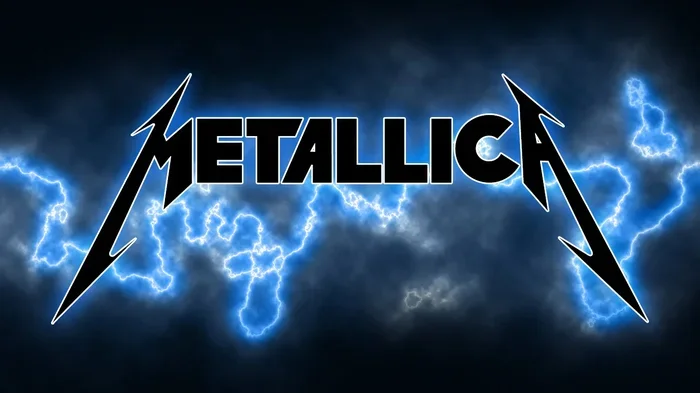
Create Your Own Metallica Font with This Free Generator
Creating Metallica-style text is easier than ever with a free font generator online. You can transform plain text into heavy metal lettering that looks like it belongs on a stage backdrop. This guide shows you exactly how to use a metallica font generator to get stunning results fast. Whether you need it for a poster, a social media post, or a band project, these tools make it simple and fun.
If you have ever looked at the Metallica logo and thought, “I want that for my project,” you are in luck. A metallica font generator gives you the power to create that exact look in minutes. These free online tools let you type any text and watch it transform into heavy metal lettering. The best part? You do not need to be a graphic designer to get amazing results.
The world of metal text style is huge. Bands like Metallica, Iron Maiden, and Slayer have iconic lettering that fans love. You can now recreate that aesthetic with just a few clicks. In this guide, we will walk you through everything you need to know about using a font generator for metal-style text. From choosing the right tool to customizing your design, we have you covered.
Key Takeaways
- Free tools are widely available: You do not need to pay for expensive software to create Metallica-style text.
- Customization is key: Most generators let you adjust size, color, and style to match your vision.
- Easy to use: No design experience is needed to produce professional-looking metal text.
- Multiple styles exist: From sharp edges to ornate gothic looks, there is a metal font for every project.
- Great for fan projects: These fonts work perfectly for posters, t-shirts, social media, and more.
📑 Table of Contents
- What Is a Metallica Font Generator?
- Why Use a Metallica Font Generator?
- Best Metallica Font Generators to Try
- How to Create Metallica-Style Text Step by Step
- Tips for Getting the Best Results
- Common Mistakes to Avoid
- Uses for Metallica-Style Fonts
- How Font Generators Compare to Professional Design Tools
- Final Thoughts
What Is a Metallica Font Generator?
A metallica font generator is an online tool that turns regular text into bold, metal-style lettering. These tools use special typefaces inspired by the Metallica logo and other heavy metal band designs. You type in your text, pick a style, and the generator creates a customized image you can download.
These generators work with a process called font rendering. The tool takes your plain text and applies a pre-designed metal font style to it. Think of it like a stamp that presses your words into metal lettering. The results look sharp, edgy, and perfect for rock and metal projects.
How Do Font Generators Work?
Most font generator tools use a simple process. You enter your text into a box on the website. Then you choose from a list of available metal fonts. The tool processes your text and displays a preview. You can adjust the size, color, and effects until it looks just right. Finally, you download the image to use wherever you want.
The technology behind these tools is not complicated. They use something called vector graphics, which means the text stays sharp no matter how large you make it. This is great news if you want to print your design on a big poster or a small sticker. The quality stays crisp either way.
Why Use a Metallica Font Generator?
There are many reasons to use a free font tool for creating metal-style text. Let us look at the biggest benefits that make these generators so popular.
They Are Completely Free
Most metallica font generator tools cost nothing to use. You do not need to buy expensive design software like Adobe Illustrator or Photoshop. A free online tool gives you professional-looking results without spending a dime. This makes it perfect for fans on a budget who still want high-quality designs.
No Design Skills Required
You do not need to know how to draw or use complex software. These generators are built for everyone. If you can type a sentence, you can create a metal band font design. The interface is simple and intuitive. You pick a font, type your text, and download your creation.
Fast and Convenient
Creating metal lettering with a generator takes just a few minutes. You do not need to wait for a designer or spend hours tweaking settings. Type your text, choose a style, and you are done. This speed makes these tools ideal for last-minute projects or quick social media posts.
Perfect for Fan Projects
Metal fans love to show their passion. A metallica-inspired font works great for t-shirts, posters, social media graphics, and fan art. You can put your favorite band name on a shirt or create a birthday card for a fellow metalhead. The possibilities are endless.
Best Metallica Font Generators to Try
Not all font creator online tools are the same. Some focus on gothic styles, while others go for a more modern metal look. Here are the types of generators you should explore for creating heavy metal typography.
Dedicated Font Generator Sites
Several websites specialize in creating metal-style fonts. These sites offer a wide range of rock font style options. You can find everything from classic Metallica-inspired designs to more extreme black metal lettering. Popular sites let you customize colors, add effects like shadows or outlines, and download your creation in different formats.
When choosing a site, look for ones that offer multiple font styles. The more options you have, the more creative you can get. Some sites also let you adjust the spacing between letters, which can make your design look even more professional.
Social Media Font Tools
Some text generator tool platforms are designed specifically for social media. These tools create text that you can copy and paste directly into Instagram, Facebook, or Twitter posts. While they may not offer as many customization options, they are super convenient for quick posts that need a metal aesthetic font look.
Design Software with Metal Fonts
If you want more control over your design, you can use design software that includes metal font packs. Programs like Canva, GIMP, and even some free online editors let you upload metal-style fonts. This gives you the most flexibility for creating custom metal text for any project.
How to Create Metallica-Style Text Step by Step
Using a metallica font generator is straightforward. Follow these steps to create your own metal-style text today.
Step 1: Choose Your Generator
Start by picking a font generator website that offers metal-style fonts. Look for one with good reviews and a variety of font options. Make sure the site is free to use and does not require you to create an account unless you want to save your designs.
Step 2: Type Your Text
Enter the text you want to transform. This could be a band name, a slogan, a word, or even a single letter. Keep in mind that some metal fonts look best with short, bold words. Long phrases might lose their impact if the letters get too small.
Step 3: Pick Your Style
Browse through the available font styles. Look for options labeled as “metal,” “gothic,” “heavy,” or “rock.” Each style gives your text a different vibe. Some fonts have sharp, angular edges that look aggressive. Others have ornate, decorative elements that feel more classic.
Step 4: Customize Your Design
Now comes the fun part. Adjust the size, color, and effects to make your text stand out. Try adding a black outline to make the letters pop. Change the color to a metallic silver or gold for an authentic look. Some generators also let you add a shadow or glow effect that gives your text extra depth.
Step 5: Download and Use
Once you are happy with your design, download it. Most generators let you save your creation as a PNG or JPG file. PNG files work best if your design has a transparent background. You can now use your metal band font on posters, shirts, social media, or anywhere else you want.
Tips for Getting the Best Results
Creating great metal text style designs takes a little practice. Here are some tips to help you get the most out of your metallica font generator.
Keep It Bold and Simple
Metal fonts work best when they are bold and easy to read. Avoid using too many fancy effects that make the text hard to decipher. The goal is to capture that heavy metal typography feel while keeping your message clear. Stick to one or two effects at most.
Choose the Right Colors
Metallic colors like silver, gold, and gunmetal gray look amazing with metal fonts. Black text on a white background also creates a strong contrast. If you want a more dramatic look, try red or dark purple text. These colors add to the intense vibe of metal lettering.
Match the Font to Your Project
Different projects need different styles. A t-shirt design might look better with a clean, bold metal font. A Halloween poster could use a more gothic, spooky style. Think about where your design will be used and choose a metal band font that fits the mood.
Experiment with Sizes
Do not be afraid to try different sizes. A large font makes a strong statement on a poster. A smaller font works well for social media avatars or profile pictures. Test out different sizes to see what looks best for your specific project.
Use a Transparent Background
When downloading your design, choose a format that supports transparency if possible. This lets you place your metal aesthetic font on any background without a white box showing around the text. PNG files are the best choice for this.
Common Mistakes to Avoid
Even with a great font generator, there are some mistakes that can ruin your design. Here is what to watch out for.
Using too many fonts: Stick to one or two fonts per design. Mixing too many styles makes your project look messy and unprofessional.
Ignoring readability: Fancy metal fonts can be hard to read if they are too small or too decorated. Always make sure your message is clear.
Forgetting about the background: A busy background can distract from your metal text style. Use a simple background or a contrasting color to make your text pop.
Not checking the download quality: Always download your design in the highest quality available. Low-resolution images look blurry when printed or enlarged.
Skipping the preview step: Always preview your design before downloading. You might notice something that needs adjusting, like spacing or color balance.
Uses for Metallica-Style Fonts
The metallica-inspired font style is versatile and fun. Here are some great ways to use your custom metal text creations.
- T-shirts and apparel: Create unique band shirts or merchandise with your own metal text designs.
- Social media posts: Make your Instagram or Facebook posts stand out with bold metal lettering.
- Posters and flyers: Promote metal concerts, listening parties, or band practices with eye-catching designs.
- Wall art and prints: Create framed art pieces featuring your favorite band names in metal style.
- Video thumbnails: Make your YouTube videos look more professional with metal-style titles.
- Greeting cards: Design unique cards for metal-loving friends and family.
- Album covers: If you make music, use metal fonts for your own album or track artwork.
The beauty of a metallica font generator is that you can create designs for any purpose without spending money or needing special skills. Just type, customize, and download.
How Font Generators Compare to Professional Design Tools
You might wonder how a free font generator compares to professional design software. Here is a quick look at the differences.
Professional tools like Adobe Illustrator offer complete control over every detail of your design. You can create fonts from scratch, adjust every curve, and add complex effects. However, these tools come with a steep learning curve and a high price tag. A metallica font generator gives you fast, ready-to-use results without any of the complexity.
For most fan projects and casual designs, a font generator is more than enough. You get great results in minutes instead of hours. If you are a professional designer working on a major project, you might want the full power of professional software. But for everyday metal text needs, a generator is the smarter choice.
Final Thoughts
A metallica font generator is one of the easiest and most fun tools you can use for metal-inspired projects. Whether you are a longtime fan or just starting to explore the world of heavy metal, these free tools make it simple to create stunning text designs. You do not need special skills, expensive software, or hours of time. Just type your words, pick a style, and download your creation.
The world of heavy metal typography is waiting for you. Start experimenting with different styles and effects today. You might discover a new favorite way to express your love for metal music. So go ahead, fire up a font generator, and let your creativity run wild. Your next metal masterpiece is just a few clicks away.
If you are curious about other types of generators and tools available online, you might find it helpful to explore what kind of generator do I need for different creative and practical projects. There is a whole world of tools out there designed to help you bring your ideas to life.
Frequently Asked Questions
What is a metallica font generator?
A metallica font generator is a free online tool that turns regular text into bold, metal-style lettering inspired by the Metallica logo. You type your words, pick a font style, and download your custom metal text design.
Are metallica font generators really free?
Yes, most font generator websites offer their metal font tools for free. You can create and download designs without paying anything. Some sites may offer premium features, but the basic metal font styles are always free to use.
Do I need design experience to use a metallica font generator?
Not at all. These tools are designed for everyone. If you can type a sentence and click a few buttons, you can create professional-looking metal lettering in minutes. No design skills are required.
Can I use metallica-style fonts for commercial projects?
This depends on the specific generator and font license. Many free tools allow personal use only. If you plan to use your design for a commercial project, check the terms of the font creator online tool you are using. Some fonts may require a license for commercial use.
What file format should I download my design in?
PNG is the best format for most uses because it supports transparent backgrounds. JPG works well too but may include a white background. Choose PNG if you want to place your metal aesthetic font on any background without a visible box around the text.
Can I customize the colors and effects of my metal text?
Absolutely. Most metallica font generator tools let you change the text color, add outlines, shadows, and glow effects. You can also adjust the size and spacing. These customization options help you create a unique metal band font design that matches your vision.
=== CONCLUSION ===
Creating Metallica-style text has never been easier thanks to free online font generator tools. You can transform any text into bold, heavy metal lettering that captures the energy and style of your favorite bands. Whether you are making a poster, a social media post, or a t-shirt design, these tools give you professional results in minutes.
The key is to experiment with different styles, colors, and effects until you find the perfect look for your project. Keep your designs bold and readable, choose colors that match the metal aesthetic, and always download in the highest quality. With a little creativity and the right metallica font generator, you can create stunning metal text designs that stand out.
So what are you waiting for? Pick a generator, type your text, and start creating your own metal lettering today. The heavy metal world is your canvas.