How an AI Anime Video Generator Brings Your Art to Life
An AI anime video generator lets you turn static anime artwork into smooth, animated videos with just a few clicks. Whether you are a digital artist, a hobbyist, or a content creator, these powerful tools use advanced machine learning to animate characters, scenes, and effects automatically. You will learn how these generators work, which top options to try, and practical tips to get the best results from your anime creations.
Have you ever drawn an amazing anime character or scene and wished you could see it move? Maybe you have a comic panel that feels like it is begging to become a short animation. Until recently, turning that kind of artwork into a video meant learning complex animation software, spending countless hours drawing frame by frame, or hiring a professional animator. Now, there is a much simpler path.
An AI anime video generator can take your static images and bring them to life with realistic motion, smooth transitions, and even synchronized audio. These tools use artificial intelligence and deep learning models to analyze your art and generate animation automatically. The result is a video that looks like it was made by a skilled animator, but you did most of the work with just a few clicks or prompts.
In this guide, we will walk through everything you need to know about using an AI anime video generator. You will learn how the technology works, what the best tools are, and how to get amazing results every time. Whether you are a seasoned artist or someone who just started drawing anime, this article has something valuable for you.
Key Takeaways
- Easy to Use: Most AI anime video generators are designed for beginners and pros alike, so you do not need advanced technical skills.
- Saves Time: What used to take hours of manual animation can now be done in minutes with AI-powered tools.
- Creative Freedom: You can experiment with different styles, movements, and effects without starting from scratch every time.
- Affordable Options: Many generators offer free tiers or low-cost plans, making anime video creation accessible to everyone.
- Growing Technology: AI anime generation is evolving fast, with new features like lip-sync and scene transitions improving all the time.
- Best Results Come from Good Input: High-quality source art and clear prompts lead to much better animated output.
- Multiple Tools Exist: Different generators specialize in different styles, so choosing the right one matters for your specific needs.
📑 Table of Contents
What Is an AI Anime Video Generator?
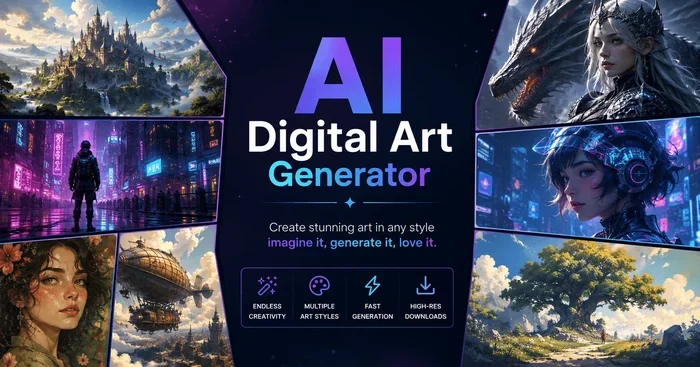
An AI anime video generator is a software tool that uses artificial intelligence to create animated videos from still images, text prompts, or short clips. Instead of manually drawing every frame, you let the AI handle the heavy lifting. The tool analyzes your input, understands the style and composition, and generates fluid motion that matches your creative vision.
Think of it like having a digital assistant who knows how to animate. You give it your artwork or a description, and it produces a video clip. Some generators work with images you already have, while others let you type in what you want and create everything from scratch.
How Does It Work?
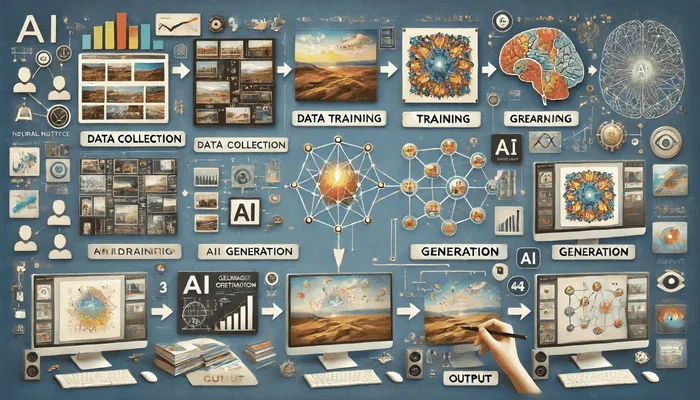
Most AI anime video generators rely on a type of artificial intelligence called generative models. These models are trained on thousands of anime videos, drawings, and animations. Over time, they learn patterns like how hair moves in the wind, how eyes blink, and how characters walk. When you feed in your image or prompt, the AI applies these learned patterns to create smooth, natural-looking motion.
The process usually involves a few key steps:
- Input Analysis: The AI examines your source image or text prompt to understand the scene, characters, and style.
- Motion Planning: The system decides what kind of movement makes sense for the scene, such as a character turning their head or wind blowing through their hair.
- Frame Generation: The AI generates multiple frames in sequence, creating the illusion of movement when played back.
- Refinement: Some tools apply additional processing to smooth out transitions, enhance details, and add effects like lighting changes or particle animations.
The entire process can take anywhere from a few seconds to several minutes, depending on the complexity of your request and the tool you are using. It is a remarkable blend of art and technology that opens up creative possibilities for everyone.
Why Use an AI Anime Video Generator?
There are many reasons why artists and creators are turning to AI anime video generators. Let us look at some of the biggest benefits that make these tools so appealing.
Speed and Efficiency
Traditional anime animation is incredibly time-consuming. A single minute of smooth animation can take days or even weeks to produce. With an AI anime video generator, you can create a short clip in just minutes. This speed lets you experiment more, iterate faster, and bring your ideas to life without waiting weeks for results.
Lower Barrier to Entry
Not everyone has the budget or time to learn professional animation software like After Effects or Toon Boom Harmony. AI generators make animation accessible to beginners, hobbyists, and fans who just want to see their art move. You do not need a degree in animation or years of experience to get started.
Cost Savings
Hiring a professional animator can be expensive. Even outsourcing small animation projects can cost hundreds or thousands of dollars. Many AI anime video generators offer free plans or affordable monthly subscriptions. This makes it much easier to create quality content without breaking the bank.
Creative Experimentation
One of the most exciting aspects of these tools is the freedom to experiment. Want to see what your character looks like running instead of standing still? Just ask the AI. Want to try a different art style for a scene? The generator can adapt. This kind of rapid experimentation helps you discover new creative directions you might not have considered otherwise.
Top AI Anime Video Generators to Try
The market for AI anime video generators has grown a lot in recent years. Several tools stand out for their quality, ease of use, and features. Here are some of the best options available right now.
Kling AI
Kling AI is one of the newer entrants in the AI video generation space, and it has quickly gained attention for its high-quality output. It supports anime-style generation and allows users to create videos from images or text prompts. The tool offers good motion consistency and can handle complex scenes with multiple characters.
Runway ML
Runway ML is a well-known creative AI platform that includes video generation capabilities. It works well for anime-style content and gives users a lot of control over the output. You can adjust motion intensity, style, and duration to fine-tune your videos before exporting them.
Pika Labs
Pika Labs is another popular choice for generating short anime-style video clips. It is user-friendly and works well for quick animations. The platform is great for testing ideas and creating short social media content. Many users find it especially helpful for generating dynamic action scenes in an anime style.
Stable Video Diffusion
Stable Video Diffusion is an open-source model that you can run on your own hardware. It is part of the broader Stable Diffusion ecosystem, which is hugely popular in the AI art community. While it requires some technical knowledge to set up, it offers a lot of flexibility and customization for those who want full control over their anime video generation.
Choosing the Right Tool
When picking a generator, consider what you need most. Do you want something simple and fast, or do you need advanced controls? Are you working with your own artwork, or do you want to generate everything from text? Answering these questions will help you choose the right AI anime video generator for your specific goals.
How to Get the Best Results from Your AI Anime Videos
Using an AI anime video generator is not just about pressing a button and hoping for the best. There are techniques and best practices that can dramatically improve your output. Let us explore some tips that will help you create stunning anime videos every time.
Start with High-Quality Source Art
The quality of your input directly affects the quality of your output. If you start with a blurry or poorly drawn image, the AI will have a hard time generating smooth animation. Use clean, well-defined artwork with clear lines and good contrast. The more detailed and polished your source image, the better the final video will look.
Write Clear and Detailed Prompts
If your generator supports text prompts, take the time to write detailed descriptions. Instead of saying “a girl walks,” try “an anime girl with long black hair walks through a cherry blossom park at sunset, her skirt swaying gently in the breeze.” The more specific you are, the more accurate and beautiful the result will be.
Keep Clips Short and Focused
Most AI generators work best with short clips, typically a few seconds long. Trying to generate a long, complex scene all at once can lead to inconsistencies or glitches. Break your animation into smaller segments and piece them together later for a smoother final product.
Experiment with Different Settings
Do not settle for the first result you get. Most generators let you adjust settings like motion intensity, style strength, and frame rate. Try different combinations to see what works best for your specific artwork. Sometimes a small tweak can make a huge difference in the final output.
Use Reference Videos
Some advanced generators allow you to upload a reference video that shows the type of motion you want. This can be incredibly helpful for getting natural-looking movement. Find a short clip of someone doing a similar action and use it as a guide for the AI.
Combine Multiple Tools
Many professional creators use more than one tool in their workflow. For example, you might use one generator to create the base animation and another tool to add effects or edit the final video. Experimenting with different combinations can help you achieve results that no single tool can deliver on its own.
Common Challenges and How to Overcome Them
While AI anime video generators are powerful, they are not perfect. Here are some common issues you might run into and practical ways to solve them.
Inconsistent Character Design
Sometimes the AI might change small details between frames, like the shape of a character’s eyes or the color of their outfit. To minimize this, use high-quality source images with consistent styling and avoid asking for too much complex motion in a single clip.
Unnatural Movement
AI-generated motion can sometimes look stiff or robotic. This usually happens when the motion intensity is set too high or the source image lacks clear motion cues. Try lowering the motion settings and using reference videos to guide the generator toward more natural movement.
Limited Duration
Most generators produce short clips, which can be frustrating if you want a longer animation. The best approach is to generate multiple short clips and edit them together using a video editor. This gives you full control over the pacing and flow of your final animation.
Art Style Limitations
Not every generator handles every anime style equally well. Some tools excel at shoujo-style art but struggle with dark, gritty anime aesthetics. Test your chosen tool with your specific art style before committing to a full project.
What Kind of Generator Do I Need for Anime Video Creation?
When it comes to choosing the right what kind of generator do I need for anime video creation, the answer depends on your goals and experience level. If you are a beginner looking for quick results, a cloud-based tool like Pika Labs or Runway ML is a great starting point. These platforms handle all the technical setup for you and work directly in your browser.
For more experienced users who want full control, open-source options like Stable Video Diffusion give you the flexibility to customize every aspect of the generation process. And if you are a professional creator working on a series or a longer project, consider tools that offer batch processing and API access so you can integrate AI generation into your existing workflow.
The key is to match the tool to your needs. Start simple, learn what each generator does best, and then level up as your skills and ambitions grow. The anime AI video generation space is evolving quickly, and new options are emerging all the time.
Final Thoughts
An AI anime video generator is an incredible tool that opens up a world of creative possibilities. Whether you want to animate your own drawings, create short films, or produce content for social media, these generators make it easier than ever to bring your anime art to life. The technology is advancing rapidly, and the results are getting better with each update.
Remember that practice makes perfect. The more you experiment with different tools, prompts, and settings, the better your results will become. Do not be afraid to make mistakes or try unusual ideas. Some of the most creative anime videos come from unexpected combinations and happy accidents.
Start with one of the tools mentioned in this article, upload your artwork, and see what happens. You might be surprised by how quickly and beautifully your static images can transform into living, breathing anime scenes. The future of anime creation is here, and it is powered by AI.
Frequently Asked Questions
What is an AI anime video generator?
An AI anime video generator is a software tool that uses artificial intelligence to create animated videos from static images, text prompts, or short clips. It analyzes your input and generates smooth, natural-looking motion automatically, saving you the time and effort of manual animation.
Do I need drawing skills to use an AI anime video generator?
No, you do not need advanced drawing skills. Many generators let you create videos from text prompts alone, so you can describe what you want and the AI will create it. However, having some drawing skills helps if you want to use your own artwork as a starting point for better results.
How long does it take to generate an anime video with AI?
Most AI anime video generators can produce a short clip in just a few seconds to a few minutes. The exact time depends on the complexity of the scene, the tool you are using, and your hardware or internet connection speed.
Are AI anime video generators free to use?
Many generators offer free tiers with limited features or credits. Some tools require a subscription for full access, but the costs are usually much lower than hiring a professional animator. It is worth exploring the free options first to find what works for you.
Can I use AI anime video generators for commercial projects?
Yes, many AI anime video generators allow commercial use, but the terms vary by platform. Always check the licensing agreement of the tool you are using before publishing or selling content created with it. Some free plans may restrict commercial use.
What makes an AI anime video generator different from regular video editing software?
Regular video editing software requires you to manually create or import each frame and edit them together. An AI anime video generator automates the animation process by generating motion from your images or prompts, which saves significant time and does not require manual frame-by-frame work.
=== CONCLUSION ===
The world of anime creation has been transformed by AI technology. An AI anime video generator gives artists, hobbyists, and creators a powerful way to animate their work without the steep learning curve or high costs of traditional animation. From choosing the right tool to mastering the art of prompting, this guide has covered everything you need to get started on your anime video journey.
Now it is your turn. Pick a tool, upload your artwork, and start creating. The possibilities are truly endless when you combine your creative vision with the power of artificial intelligence. Happy animating!