Create Stunning QR Codes With an Online QR Generator
An online QR generator lets you create custom QR codes in seconds without any software downloads. Whether you need a QR code for business or personal use, free QR code maker tools give you full control over design, color, and tracking. This guide walks you through everything you need to know about choosing the best QR code generator online and making codes that actually look great.
This is a comprehensive guide about online qr generator.
Key Takeaways
- Free and paid options exist: Many online QR generators offer free basic tools with premium upgrades for advanced features.
- Customization matters: You can change colors, add logos, and adjust shapes to match your QR code design and brand.
- Dynamic QR codes track scans: Unlike static codes, trackable QR codes give you analytics on how many people scan your code.
- No downloads needed: A QR code creator works right in your browser on any device.
- Use cases are endless: From QR codes for business cards to restaurant menus, the possibilities are vast.
[FEATURED_IMAGE_PLACEHOLDER]
What Is an Online QR Generator?
An online QR generator is a web-based tool that creates Quick Response codes right in your browser. You don’t need to install anything. You just visit a website, type in your data, and the tool builds a QR code for you instantly.
Think of it like a QR code maker that lives on the internet. You type in a URL, a phone number, a Wi-Fi password, or even a vCard, and the generator turns it into a scannable square pattern. People use QR code scanner apps on their phones to read these codes in seconds.
The best part? Most of these tools are free. You can create a free QR code generator link in under a minute. Whether you are a small business owner, a marketer, or just someone who wants to share information quickly, an online QR code generator saves you time and effort.
QR code software has come a long way. Early QR codes were just black and white squares. Today, you can make colorful, branded, and fully custom designs. A QR code creator gives you control over every detail, from the shape of the dots to the background color.
Why Use an Online QR Generator?
You might wonder why you need a QR code generator online when your phone can already scan codes. The answer is simple: creating codes is the hard part. A good QR code generator tool takes all the guesswork out of the process.
Speed and Convenience
You can make a QR code online in less than 60 seconds. No software to download, no account required (for most tools), and no waiting. Just open your browser and start creating.
No Design Skills Needed
These tools come with built-in templates and easy-to-use editors. You don’t need to be a graphic designer. Pick a template, change the colors, add your logo, and you are done. A custom QR code helps your brand stand out without any design experience.
Works on Every Device
Because it runs in your browser, an online QR code generator works on laptops, tablets, and phones. You can create codes at home, at the office, or on the go. This mobile QR code flexibility is a huge advantage.
Cost Savings
Hiring a designer to create custom codes would cost hundreds of dollars. A free QR code generator gives you professional results at zero cost. Even the paid plans are affordable compared to traditional design services.
Types of QR Codes You Can Create
Not all QR codes for business are the same. Different types serve different purposes. Here is a breakdown of what you can build with an online QR code generator.
Static QR Codes
A static QR code holds fixed information. Once you create it, the data cannot be changed. These are great for things like:
- Website URLs
- Email addresses
- Phone numbers
- Plain text messages
- Wi-Fi login details
Static codes are simple and fast to generate. They work well for printed materials like flyers and business cards. However, you cannot track how many people scan them.
Dynamic QR Codes
A dynamic QR code is more powerful. It points to a short URL that you can change anytime. This means you can update the destination without reprinting the code. Dynamic QR codes also give you QR code analytics, so you can see:
- Total number of scans
- Scan dates and times
- Device types (iOS or Android)
- Location data (country and city)
Trackable QR codes are perfect for marketing campaigns. You can measure how well your print ads, posters, or packaging are performing. This data helps you make smarter decisions.
Specialized QR Code Formats
Some QR code generator tools offer special formats. These include:
- vCard QR codes: Share contact details instantly
- Email QR codes: Open a pre-filled email on scan
- SMS QR codes: Send a text message directly
- Event QR codes: Add calendar events with one scan
- Payment QR codes: Accept payments through apps like PayPal or Venmo
Each format serves a unique purpose. The best QR code generator online tools support all of these and more.
How to Choose the Best Online QR Generator
Not all QR code maker platforms are created equal. With so many options out there, how do you pick the right one? Here are the key factors to consider.
Ease of Use
The best tools have simple, clean interfaces. You should be able to create a code in three steps or less. If a platform feels confusing, move on. A good QR code creator should feel intuitive from the moment you land on the page.
Customization Options
Look for tools that let you:
- Change foreground and background colors
- Add your logo or image in the center
- Choose different dot styles (rounded, square, diamond)
- Adjust the QR code resolution for print quality
- Set error correction levels for damaged codes
QR code branding is important for businesses. A branded code with your logo and colors builds trust and looks professional.
Analytics and Tracking
If you care about measuring results, choose a platform that offers QR code analytics. Free tools usually don’t include tracking. Paid plans typically unlock scan data, download limits, and advanced features.
Export Options
Make sure the QR code generator tool lets you download in multiple formats. PNG and SVG are the most common. SVG is best for printing because it stays sharp at any size. A good downloadable QR code option saves you from quality issues later.
Security and Privacy
Check whether the platform stores your data. Reputable QR code software providers have clear privacy policies. They do not sell your information or use your codes for their own purposes. Always read the terms before you create sensitive codes.
Pricing
Most platforms offer a free QR code generator tier with basic features. Paid plans usually range from $5 to $30 per month. Compare what you get at each price level. Sometimes a QR code generator free plan is all you need.
Step-by-Step Guide to Creating Your First QR Code
Creating a QR code online is easier than you think. Follow these steps and you will have a working code in minutes.
Step 1: Choose Your Data Type
Decide what you want the code to do. Do you want people to visit a website? Call a phone number? Connect to Wi-Fi? Select the matching option on the QR code generator platform.
Step 2: Enter Your Information
Type in the data. If you chose a URL, paste the full web address. If you chose a phone number, enter it with the country code. Double-check everything before moving on.
Step 3: Customize the Design
This is where it gets fun. Change the colors to match your brand. Add a logo in the center. Pick a dot style. Adjust the QR code design until it looks exactly how you want it.
Step 4: Test the Code
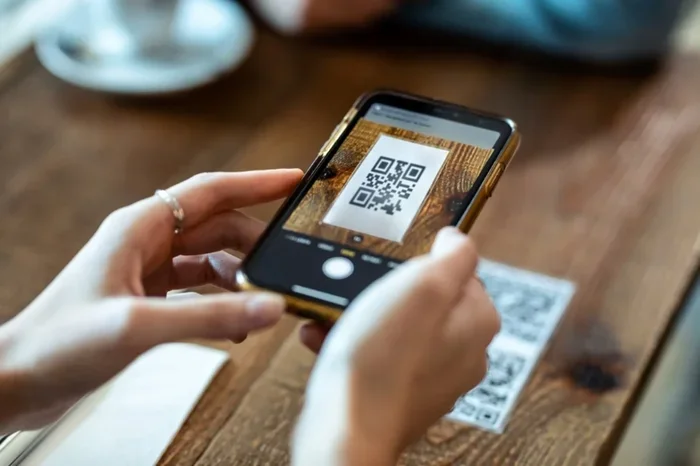
Before you download anything, scan the code with your phone. Make sure it works. Try it with different QR code scanner apps too. A broken code wastes your effort.
Step 5: Download and Share
Download the code in the highest quality format available. PNG works for digital use. SVG is best for printing. Share your custom QR code on social media, print it on flyers, or add it to your packaging.
Common Mistakes to Avoid
Even with a great online QR generator, mistakes can happen. Here are the most common ones and how to avoid them.
- Using low resolution for print: Always export in SVG or high-DPI PNG. A blurry code won’t scan properly.
- Skipping the test scan: Always test your code before printing hundreds of copies.
- Over-customizing: Too many design changes can make a code unscannable. Keep the three corner squares clear and readable.
- Forgetting error correction: Set error correction to at least medium. This helps the code work even if part of it gets damaged.
- Using a static code for campaigns: If you want to track results, use a dynamic QR code. Static codes give you no data.
Avoiding these mistakes ensures your QR code for business works perfectly every time. A well-made code looks great and scans flawlessly on the first try.
Expert Tips for Better QR Codes
Want to take your QR code design to the next level? Here are some pro tips from experienced designers.
Use contrasting colors. Dark foreground on a light background works best. Avoid light yellow or white codes on white backgrounds. The scanner needs clear contrast to read the code.
Add a call to action. Tell people what to do when they scan. Phrases like “Scan to visit our website” or “Scan for a discount” increase scan rates significantly.
Place codes at eye level. For print materials, position the code where people can easily reach it. Too high or too low reduces scan rates.
Keep the quiet zone clear. The white space around the code matters. Don’t place text or images too close to the edges. This space helps the QR code scanner read the data accurately.
Use short URLs for dynamic codes. A clean, short URL looks better and tracks better than a long, messy one. Many QR code generator online tools include URL shorteners built in.
Consider the user’s experience. Make sure the destination page is mobile-friendly. Most people scan codes with their phones. If the landing page is not optimized for mobile, you lose their attention quickly.
Free vs. Paid QR Code Generators: Which Is Right for You?
The free QR code generator options are great for personal projects and simple needs. You can create basic static codes without spending a dime. However, they usually come with limits like fewer downloads, no analytics, and basic design options.
Paid plans unlock powerful features. You get dynamic QR codes, detailed scan analytics, higher download limits, and priority support. If you are running a marketing campaign or managing a business, the paid version is worth the investment.
Here is a quick comparison:
Free plans are perfect for testing. Start with a QR code generator free tool and see if it meets your needs. You can always upgrade later when you need more features.
Conclusion
An online QR generator is one of the most useful tools you can have in your digital toolkit. Whether you need a QR code for business cards, restaurant menus, event tickets, or marketing materials, these tools make the process fast and easy. You do not need design skills, expensive software, or technical knowledge.
The best QR code generator online platforms give you full creative control. You can customize colors, add logos, choose different styles, and even track scan data with dynamic codes. A well-designed custom QR code looks professional and drives real results.
Start with a free QR code generator and explore what is possible. Once you see how easy it is to create beautiful, functional codes, you will wonder how you ever managed without one. The world of QR code creation is at your fingertips. Make your first code today and see the difference it makes.
FAQs
Is an online QR generator really free?
Many platforms offer a free QR code generator with basic features. You can create static codes without paying anything. Paid plans unlock advanced features like analytics and dynamic codes.
Can I track who scans my QR code?
Yes, but only with dynamic QR codes. A trackable QR code gives you analytics like scan counts, locations, and device types. Static codes do not offer any tracking data.
Do I need to create an account to use a QR code maker?
Most QR code generator tools let you create codes without an account. However, signing up gives you access to saved codes, analytics, and higher download limits on many platforms.
What is the best file format for printing QR codes?
SVG is the best format for printing because it stays sharp at any size. PNG works well for digital use. Always download the highest QR code resolution possible for the best results.
Can I put my logo inside a QR code?
Yes, most online QR generators let you add a logo or image in the center. Just make sure the code still scans correctly after you customize it. Test it with multiple scanner apps before printing.
Are QR codes safe to use?
QR codes themselves are safe. However, always use a trusted QR code software provider. Some malicious codes can redirect users to harmful websites. Only create and share codes from reputable platforms you trust.
Frequently Asked Questions
What is online qr generator?
online qr generator is an important topic with many practical applications.