What Are Some Project Management Tools You Should Know
Project management tools help teams plan, track, and deliver work efficiently. From simple task lists to full-featured platforms, the right tool can transform how your team collaborates. This guide covers the top options, their key features, and how to pick the best fit for your needs.
Key Takeaways
- Project management tools come in many shapes, from lightweight task apps to robust enterprise platforms.
- The best tool depends on your team size, budget, and project complexity.
- Key features to look for include task tracking, team collaboration, and reporting dashboards.
- Free tools can work great for small teams, while larger organizations need advanced plans.
- Integration with other apps saves time and keeps workflows smooth.
- Setting up a tool the right way ensures your team actually uses it.
- Regular reviews help you get the most value from your chosen platform.
📑 Table of Contents
What Are Project Management Tools and Why Do They Matter?
Project management tools are software apps that help teams plan, organize, and track work from start to finish. They give you a central place to manage tasks, deadlines, files, and team communication. Without the right project management tools, teams often rely on scattered spreadsheets, endless email threads, and sticky notes.
These tools matter because they save time and reduce confusion. When everyone knows what to do and when it is due, projects move faster. Teams waste less time asking “What are we working on?” or “Where is that file?” A good tool answers all of those questions in one place.
The world of work has changed a lot in recent years. More teams work remotely or in hybrid setups. That makes project management software even more important. It keeps everyone connected, no matter where they are. Whether you run a small startup or a large company, the right tool makes a big difference.
In this guide, we will walk you through the top options available today. We will look at what each tool does best, who it is for, and how to choose the right one. By the end, you will have a clear picture of what fits your team.
Types of Project Management Tools
Not all project management tools are built the same. Different teams need different things. Some want simple task lists. Others need complex tracking for large teams. Here are the main types you will come across.
Task Management Tools
Task management tools focus on getting individual jobs done. They let you create tasks, assign them to people, and set due dates. These are great for small teams or simple projects. They keep things light and easy to use. Examples include basic apps like Todoist and Microsoft To Do.
Task management is the foundation of any project management tool. Even the most complex platforms start with simple task tracking. If your team just needs to stay organized, a task tool might be all you need.
Kanban Board Tools
Kanban boards use visual columns to show where each task stands. You might see columns like “To Do,” “In Progress,” and “Done.” Team members drag cards across the board as work moves forward. This makes it easy to spot bottlenecks at a glance.
Tools like Trello and KanbanFlow are popular for this style. They work well for teams that like visual thinking. Kanban boards are especially useful for workflows that move step by step, like content creation or customer support.
Gantt Chart and Scheduling Tools
Gantt charts show project timelines in a bar chart format. Each task gets a bar that shows when it starts and ends. This helps you see how tasks overlap and depend on each other. These tools shine for bigger projects with many moving parts.
Tools like Monday.com and Smartsheet offer strong Gantt features. They are ideal for project scheduling and milestone tracking. If you manage complex builds or events, a Gantt-style tool is worth considering.
Agile and Scrum Tools
Agile tools are built for teams that work in short cycles called sprints. They include features for sprint planning, backlog management, and velocity tracking. These tools are popular with software development teams.
Jira and Azure DevOps are top choices for agile workflow management. They help teams plan sprint planning sessions and track progress in real time. If your team uses agile methods, you will want a tool designed for that approach.
All-in-One Collaboration Platforms
All-in-one platforms combine task management, communication, and file sharing in one place. They aim to replace multiple tools with a single workspace. This reduces app switching and keeps everything in one spot.
ClickUp and Notion fall into this category. They offer team collaboration features alongside project tracking. For teams that want fewer apps to manage, an all-in-one project management app can be a great fit.
Top Project Management Tools to Know
Now let us look at some of the most popular options on the market. Each tool has its strengths, so pay attention to what matches your needs.
Trello
Trello is one of the most well-known project management tools in the world. It uses a simple kanban board layout that is easy to learn. You create boards for projects and add cards for individual tasks. Team members can add comments, checklists, and attachments to each card.
Trello works best for small to medium teams. Its free plan is generous and covers many basic needs. The drag-and-drop interface makes it feel intuitive from day one. If you want something simple and visual, Trello is a strong choice.
Asana
Asana offers a more structured approach to task and project tracking. It supports list views, board views, and timeline views. You can set up task assignment rules, dependencies, and recurring tasks. Asana also includes dashboards for tracking project progress.
This tool suits teams of all sizes. Its project dashboard gives managers a clear view of what is happening. Asana also integrates with many other apps, which boosts its usefulness. If you need something flexible and powerful, Asana is worth a close look.
Monday.com
Monday.com is a colorful and highly customizable platform. It uses a spreadsheet-like format that is easy to understand. You can build workflows for anything from marketing campaigns to software development. Its resource allocation features help teams balance workloads.
Monday.com shines in team collaboration and communication. You can add status updates, tags, and automations to streamline work. The tool also offers strong reporting features. If you want a tool that grows with your team, Monday.com is a solid option.
Jira
Jira is the go-to choice for software development teams. It is built around agile methodologies like Scrum and Kanban. You can manage backlogs, plan sprints, and track bugs with ease. Jira offers deep project tracking and reporting capabilities.
This tool is more complex than others on this list. It has a steeper learning curve, but it pays off for technical teams. Jira integrates well with development tools like GitHub and Bitbucket. If your team ships software, Jira is a top contender.
ClickUp
ClickUp aims to be a complete replacement for multiple tools. It offers docs, goals, whiteboards, and task management in one platform. You can track time, manage documents, and run sprints all in one place. Its cloud-based project management features make it great for remote teams.
ClickUp has a lot of features, which can feel overwhelming at first. But once you set it up, it becomes a powerful hub for work. The free plan is very generous. If you want an all-in-one solution, ClickUp deserves your attention.
Basecamp
Basecamp takes a simpler, more human approach to project management. It focuses on communication and organization rather than complex tracking. You get message boards, to-do lists, file storage, and group chats. It is designed to keep things calm and clear.
Basecamp works well for teams that do not need heavy reporting. Its flat pricing makes it budget-friendly. The tool emphasizes clarity over complexity. If your team values simplicity and good communication, Basecamp is a great pick.
Key Features to Look For
When choosing project management tools, focus on the features that matter most to your team. Here are the top features to consider.
Task Assignment and Tracking
Every good tool lets you assign tasks to specific people. You should be able to set due dates, add descriptions, and track status. Look for tools that make it easy to see who is doing what and by when. Task assignment features keep accountability clear and visible.
Team Collaboration Features
Your tool should support real-time communication. Look for comment threads, @mentions, and file sharing. These features reduce the need for separate chat apps. Strong team collaboration tools keep conversations tied to the work they relate to.
Reporting and Dashboards
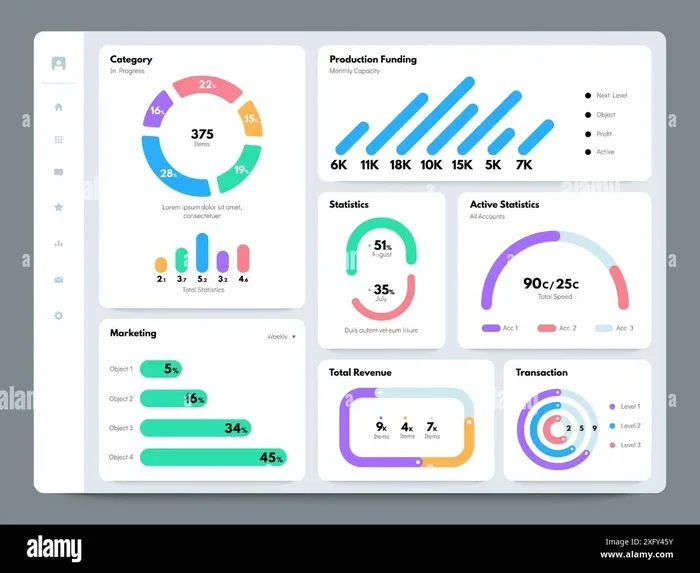
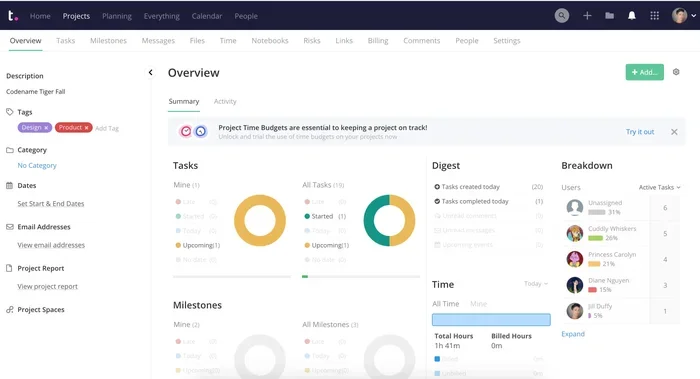
Managers need to see how projects are progressing. A good project dashboard shows key metrics at a glance. Look for tools that offer charts, status reports, and custom views. Reporting helps you spot delays early and adjust plans quickly.
Integrations with Other Apps
Your project tool should connect with apps you already use. Look for integrations with email, calendar, file storage, and communication tools. Cloud-based project management tools often offer wide integration libraries. This saves time and keeps your workflow seamless.
Time Tracking and Resource Management
For larger teams, time tracking and resource allocation are critical. You need to know how much time tasks take and who is overworked. Tools with built-in time tracking help you plan better and estimate more accurately. Resource allocation features prevent burnout and balance workloads.
How to Choose the Right Tool for Your Team
Picking the right project management tool can feel overwhelming. There are so many options, and each one promises to be the best. Here is a practical approach to making the right choice.
Start With Your Team’s Needs
Think about what your team actually struggles with. Do you need better task management? Or is project scheduling the bigger challenge? Maybe your team needs a better way to share files and communicate. Write down your top three needs before you start evaluating tools.
Consider your team size too. A tool that works for five people may not scale to fifty. Think about how your team works now and how it might grow. This helps you avoid picking a tool that is too simple or too complex.
Try Before You Commit
Most project management software offers free trials or free plans. Use them. Get your team to test the tool for a week or two. Watch how people interact with it. Ask for honest feedback. A tool that looks great on paper might not work well in practice.
Consider Your Budget
Cost matters, especially for small teams and startups. Some tools offer strong free tiers that cover basic needs. Others charge per user, which can add up fast. Look at the total cost, including any paid features you need. Remember that the cheapest option is not always the best value.
Think About Ease of Use
A tool is only useful if your team actually uses it. Look for platforms with clean, intuitive interfaces. If the learning curve is too steep, adoption will be low. Project management apps that are easy to pick up save you time and frustration in the long run.
Common Mistakes to Avoid
Many teams run into the same problems when adopting new tools. Here are a few mistakes to watch out for.
- Picking a tool based on features alone. The best features mean nothing if your team will not use them.
- Overcomplicating your setup. Start simple and add complexity only as needed. Too many columns and fields confuse people.
- Skipping team training. Even easy tools need a brief walkthrough. Without it, people will use the tool incorrectly or ignore it.
- Ignoring integrations. A tool that does not connect with your existing apps creates more work, not less.
- Never reviewing your choice. Teams should revisit their tool decision every few months. What worked six months ago may not work today.
Avoiding these mistakes sets you up for success. Take the time to evaluate your options carefully. The right project management tools will pay for themselves many times over.
Final Thoughts
The world of project management tools has never been more diverse. Whether you need a simple task list or a full-scale enterprise platform, there is a tool for you. The key is to match the tool to your team’s real needs. Focus on ease of use, core features, and long-term value.
Start with a shortlist of two or three tools. Run a trial with your team. Gather feedback and compare results. The best project management software is the one your team actually enjoys using. When you find that fit, you will see a real boost in productivity and teamwork.
Take action today. Explore the tools mentioned in this guide and see what works for you. The right project management tool can change the way your team works. It can bring clarity, speed, and focus to every project you tackle.
Frequently Asked Questions
What are the easiest project management tools to learn?
Trello and Basecamp are among the easiest to learn. They use simple, visual interfaces that most people understand right away. Both tools have generous free plans, making them perfect for teams just getting started with project management software.
Which project management tool is best for remote teams?
ClickUp and Monday.com are excellent for remote teams. They offer strong cloud-based project management features, real-time collaboration, and integrations with communication tools. These platforms keep remote teams connected and organized no matter where they are.
Are free project management tools worth using?
Yes, many free tools offer solid features for small teams. Trello and Asana both have free plans that cover basic task tracking and collaboration. They are a great way to test the waters before committing to a paid plan.
How do I know if a project management tool will fit my team?
Start by listing your team’s top needs. Then try the free trial of any tool you are considering. Get feedback from your team members. A tool fits well when it solves your biggest pain points without adding complexity.
Can project management tools integrate with other apps?
Most modern project management tools offer integrations with popular apps like Slack, Google Drive, and Microsoft Teams. These integrations help automate workflows and keep information flowing between tools. Always check the integration library before committing to a platform.
What is the difference between task management and project management tools?
Task management tools focus on individual to-dos and simple lists. Project management tools offer broader features like timelines, dashboards, and team collaboration. Many platforms blend both, but the best choice depends on whether you need simple tracking or full project oversight.