Barcode Generator Software That Simplifies Your Day
Barcode generator software makes creating barcodes fast, easy, and affordable for any business. Whether you need to label products, track inventory, or organize assets, the right tool saves hours of manual work. In this guide, you will learn how barcode software works, what features matter most, and which options fit your needs best.
Key Takeaways
- Easy to use: Most barcode generator software lets you create labels in minutes with no design experience.
- Saves money: Free and low-cost options exist, so small businesses do not need big budgets.
- Boosts accuracy: Automated barcode labeling reduces human errors in inventory and shipping.
- Flexible formats: You can generate QR codes, UPC codes, EAN codes, and more from one tool.
- Scales with your business: Whether you run a small shop or a large warehouse, there is software built for your size.
- Integration power: Many tools connect to inventory systems, point-of-sale software, and shipping platforms.
📑 Table of Contents
What Is Barcode Generator Software?
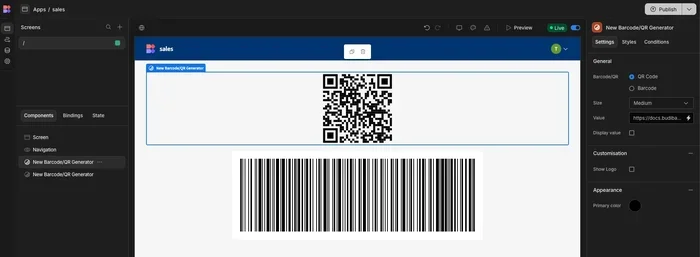
Barcode generator software is a digital tool that creates barcode images for your products, assets, or documents. You type in your data, pick a barcode style, and the software produces a scannable image in seconds.
Think of it like a printer for barcodes. Instead of ordering custom labels from a designer, you handle everything yourself. The software supports many barcode types, including QR codes, UPC barcodes, and EAN codes. Each type serves a different purpose, and good software lets you switch between them easily.
Small business owners, warehouse managers, and retail teams all use this kind of tool daily. It removes the hassle of hand-coding labels or outsourcing the work. If you have ever spent hours designing labels in a graphics program, you know how tedious that process can be. Barcode software cuts that time down to almost nothing.
The best part? You do not need to be a tech expert. Most platforms are built with simple drag-and-drop editors. You upload your data, choose a template, and print. That is really all there is to it.
Why Every Business Needs a Barcode Generator
Barcodes are the backbone of modern business operations. From the moment a product leaves the warehouse to the moment it reaches a customer, barcodes keep things moving. Without them, tracking inventory becomes slow and error-prone.
Here is why adding a barcode generator to your workflow makes a real difference:
- Speed: Create hundreds of labels in under five minutes.
- Accuracy: Automated barcodes eliminate typos that come with manual entry.
- Consistency: Every label looks professional and uniform.
- Cost savings: You print labels in-house instead of paying for pre-printed ones.
- Flexibility: Update or reprint labels whenever your data changes.
Even if you run a one-person shop, barcodes help you stay organized. They make it easy to track stock levels, manage pricing, and process orders quickly. The investment in a good barcode creator pays for itself within weeks.
Who Uses Barcode Generator Software?
Many types of businesses rely on barcode tools every day. Retail stores use them for product labeling and pricing. Warehouses use them for inventory management and asset tracking. Hospitals use them for patient identification and medication tracking. Even event organizers use QR code generators for ticketing.
Freelancers and small makers also benefit. If you sell handmade goods online, a barcode label gives each product a professional look. It builds trust with customers and makes your brand feel established.
Key Features to Look For
Not all barcode software is created equal. Some tools are basic and free, while others come packed with advanced features. Knowing what to look for helps you choose the right one for your situation.
Supported Barcode Symbologies
A good barcode generator should support multiple symbology types. Symbology is just the technical name for the barcode format. Here are the most common ones you will want:
- Code 128: Great for general-purpose labeling and shipping.
- QR Code: Perfect for marketing, event tickets, and mobile linking.
- UPC-A: The standard for retail products in North America.
- EAN-13: Used internationally for retail products.
- Code 39: A simple linear barcode used in many industries.
- DataMatrix: Common in manufacturing and electronics.
If you plan to sell products in stores, you will need UPC or EAN codes. If you run a warehouse, Code 128 works well for shipping labels. The more formats a tool supports, the more versatile it is.
Design and Customization Options
Your barcodes need to look good and scan correctly. The best software lets you customize barcodes without breaking their scannability. You should be able to adjust the size, add a logo, change colors, and position text.
Some tools also offer pre-designed templates for common label sizes. This is a huge time-saver. Instead of starting from scratch, you pick a template, drop in your data, and print. Look for software that supports standard label sheets, so you can use the same printers and paper you already have.
Batch Generation and Data Import
If you need to create hundreds or thousands of barcodes, batch generation is essential. This feature lets you upload a spreadsheet or CSV file with all your product data. The software then generates every barcode automatically.
Imagine you have 500 products to label. Without batch generation, you would enter each product one by one. With it, you upload your list and the tool does all the work in minutes. This is a game-changer for inventory management and product launches.
Integration with Other Tools
The most powerful barcode software connects to the tools you already use. Look for integrations with inventory management systems, point-of-sale platforms, and shipping software. This creates a seamless workflow where data flows automatically between systems.
For example, when you add a new product to your inventory system, the barcode software can pull that data and generate a label instantly. No copy-pasting, no manual entry. Just smooth, automated labeling.
Types of Barcode Generator Software
Barcode tools come in different shapes and sizes. Understanding the main types helps you pick the one that fits your business best.
Online Barcode Generators
Online tools run in your web browser. You do not need to install anything. Simply visit the website, enter your data, and download the barcode image. These are great for quick, one-off jobs.
Many online generators are free. They work well for small businesses or occasional use. However, they may have limited customization options. If you need bulk generation or advanced design features, an online tool might feel too basic.
Desktop Barcode Software
Desktop software installs directly on your computer. It offers more power and flexibility than online tools. You get access to advanced design features, batch processing, and database connections.
Desktop programs are ideal for businesses that print labels regularly. They work even without an internet connection, which is a big plus in warehouses or production environments. The trade-off is that you usually pay a one-time license fee or a subscription.
Cloud-Based Barcode Platforms
Cloud-based platforms combine the convenience of online tools with the power of desktop software. You access everything through a web browser, but your data syncs across devices in real time.
This type of software is excellent for teams. Multiple users can create, edit, and print labels from different locations. It also makes it easy to update labels across your entire product line with just a few clicks.
Mobile Barcode Apps
Mobile apps turn your phone or tablet into a portable barcode generator. They are handy for field workers, pop-up shops, and small businesses on the go. While they may lack the full feature set of desktop software, they cover the basics well.
You can generate a barcode, share it via email or text, and print it on the go. For quick tasks, a mobile app is all you need.
How to Choose the Right Software for Your Needs
With so many options available, picking the right tool can feel overwhelming. Here is a simple framework to guide your decision.
Step 1: Define your needs. Ask yourself what you will use the software for. Are you labeling retail products? Tracking warehouse inventory? Creating QR codes for marketing? Your use case determines the features you need most.
Step 2: Set a budget. Free tools work for basic needs. Paid software ranges from around $20 to $200 per year for most small business options. Enterprise solutions can cost more. Decide what you can afford before you start comparing.
Step 3: Check supported barcode types. Make sure the software supports the barcode formats you need. If you sell in both the US and Europe, you will need both UPC and EAN support.
Step 4: Test before you commit. Most reputable tools offer free trials or free tiers. Use these to test the interface, print quality, and speed. If a tool feels clunky, keep looking.
Step 5: Consider scalability. Choose software that can grow with your business. A tool that works fine for 50 products may struggle when you reach 5,000. Look for batch processing and database integration if you expect to scale up.
Free vs. Paid Barcode Software
Free barcode generators are a great starting point. They let you create basic barcodes without any cost. However, they often come with limitations. You may get watermarks, fewer design options, or restrictions on batch sizes.
Paid software removes these limitations. You get access to more barcode types, better templates, and dedicated support. For businesses that rely on labeling every day, the upgrade is worth it. The time you save pays for the subscription many times over.
Common Mistakes to Avoid
Even with the best software, mistakes can happen. Here are common pitfalls and how to avoid them.
- Using the wrong barcode type: Not every barcode works for every purpose. UPC codes are for retail. QR codes are for marketing. Make sure you choose the right symbology for your use case.
- Skipping test scans: Always scan your barcode before printing a full batch. A barcode that looks fine on screen may not scan correctly on paper.
- Ignoring label size: Make sure your barcode fits the label you are using. A barcode that is too small may not scan properly, especially on small products.
- Over-customizing: Adding too many design elements can interfere with scanning. Keep the barcode area clean and simple.
- Not backing up your data: If you use a database-connected tool, save your label templates and data files regularly.
Avoiding these mistakes keeps your labeling process smooth and your barcodes scannable. A little care upfront saves headaches later.
Expert Tips for Getting the Most Out of Your Barcode Software
Once you have your software set up, a few best practices help you get the best results.
Use high-quality label stock. Cheap labels can cause smudging and scanning failures. Invest in label paper designed for barcode printing. Thermal labels work especially well for durability.
Keep your data clean. Garbage in, garbage out. Make sure your product data is accurate before generating barcodes. Double-check SKU numbers, prices, and descriptions.
Standardize your labels. Use the same label size, font, and layout across all your products. Consistency makes scanning faster and your labels look professional.
Train your team. If multiple people use the software, make sure everyone knows how to create and print labels correctly. A quick training session prevents mistakes and saves time.
Update regularly. Software updates often include new barcode types, bug fixes, and performance improvements. Keep your tool up to date for the best experience.
Conclusion
Barcode generator software is one of the simplest yet most powerful tools a business can use. It turns a tedious labeling task into a quick, automated process. Whether you run a small retail shop or a large warehouse, the right software saves time, reduces errors, and keeps your operations running smoothly.
The market offers options for every budget and skill level. Free online generators work for basic needs. Desktop and cloud platforms deliver advanced features for growing businesses. The key is to choose a tool that matches your current needs and can scale as you grow.
Start by identifying what you need most. Test a few options. And once you find the right fit, you will wonder how you ever managed without it. Barcode software is not just a convenience, it is a smart investment in your business efficiency.
Take the first step today. Explore the tools available, pick one that fits, and start creating your first barcode labels. Your future self will thank you.
Frequently Asked Questions
Is barcode generator software free?
Many online tools offer free basic plans that let you generate simple barcodes at no cost. However, advanced features like batch generation, custom templates, and database integration usually require a paid subscription. Free options work well for occasional use, but businesses with regular labeling needs benefit from paid plans.
Can I create QR codes with barcode generator software?
Yes, most barcode generator software supports QR code creation alongside traditional linear barcodes. QR codes are especially popular for marketing, event tickets, and product information links. You simply enter your URL or text, choose the QR format, and the software generates the image.
Do I need special equipment to print barcode labels?
You need a standard printer and label paper to get started. For high-volume printing, thermal label printers are a popular choice because they produce durable, smudge-free labels. However, a regular inkjet or laser printer works perfectly fine for most small business needs.
What is the difference between a barcode and a QR code?
A traditional barcode stores data in a series of parallel lines. It is typically used for retail product identification. A QR code uses a grid of squares to store more data, including URLs and text. QR codes can be scanned from any angle, making them versatile for marketing and tracking purposes.
How do I make sure my barcodes scan correctly?
Always test-scan your barcode before printing a full batch. Use a smartphone barcode scanner app or a dedicated scanner. Make sure the barcode is at least the recommended size for its type, and avoid placing it over seams, folds, or textured surfaces on your labels.
Can barcode software integrate with my existing inventory system?
Many modern barcode generator tools offer integrations with popular inventory management and point-of-sale platforms. Check the software’s integration list before purchasing. This allows automatic data syncing and eliminates manual entry, saving you significant time and reducing errors.