Create Perfect Chicago Style Footnotes with This Generator
A Chicago style footnote generator saves you hours of manual formatting. It creates perfect footnotes and endnotes in seconds, following the Chicago Manual of Style rules. Whether you are writing a research paper, thesis, or essay, this tool handles citations with ease. You no longer need to guess the correct format or worry about missing details. Learn how to use a footnote generator and boost your academic writing today.
Writing a research paper or academic essay can feel overwhelming. You have ideas to share, arguments to build, and sources to track. On top of all that, you need to format your citations correctly. This is where a Chicago style footnote generator becomes your best friend. It takes the tedious work out of creating footnotes and lets you focus on what really matters: your ideas.
Whether you are a student working on a term paper or a researcher preparing a journal submission, proper citations matter. The Chicago style is one of the most widely used formats in history, literature, and the arts. Getting every footnote right can be tricky. A good citation generator takes the guesswork out of the process and gives you peace of mind.
In this guide, we will walk you through everything you need to know about using a Chicago style footnote generator. We will cover how it works, why you need one, and tips to get the best results. By the end, you will wonder how you ever managed without one.
Key Takeaways
- Saves Time: A Chicago style footnote generator creates citations in seconds instead of minutes.
- Accurate Formatting: The tool follows Chicago Manual of Style rules precisely every time.
- Reduces Stress: You focus on writing content while the tool handles all citation details.
- Free and Easy: Most generators are online, free, and require no downloads.
- Works for All Source Types: Books, journals, websites, and more are all supported.
- Prevents Plagiarism: Proper citations protect your academic integrity.
📑 Table of Contents
- What Is a Chicago Style Footnote Generator?
- Why You Need a Footnote Generator for Academic Writing
- How Does a Chicago Style Footnote Generator Work?
- Key Features to Look For in a Footnote Generator
- Chicago Style Footnotes vs. Other Citation Styles
- Tips for Using a Footnote Generator Effectively
- Common Mistakes to Avoid When Using a Footnote Generator
- Benefits of Using a Footnote Generator for Your Research
- Final Thoughts
What Is a Chicago Style Footnote Generator?
A Chicago style footnote generator is an online tool that automatically creates footnotes and endnotes in the Chicago citation format. It follows the rules set by the Chicago Manual of Style, which is the official guide for this type of citation. You enter details about your source, and the tool builds the footnote for you.
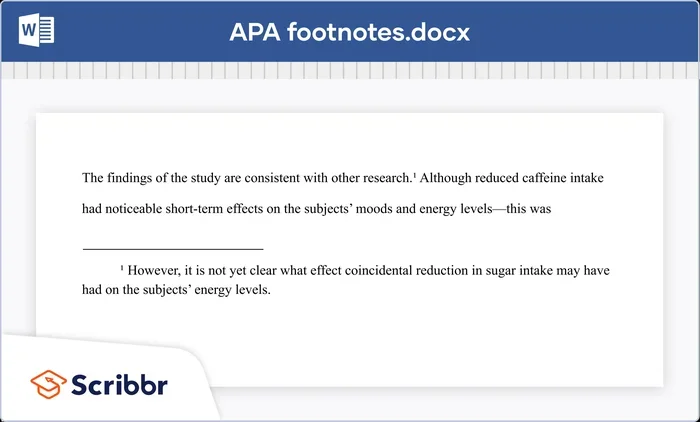
The Chicago style uses a notes-bibliography system. This means you place a superscript number in your text. That number corresponds to a footnote at the bottom of the page or an endnote at the end of your paper. Each footnote gives full details about the source you cited.
Manual citation formatting is tedious. You have to track author names, publication dates, page numbers, and titles. A citation generator handles all of this in moments. You type in the information once, and the tool formats it correctly every time.
How Is It Different from Other Citation Tools?
Not all citation tools are the same. Some generators focus on APA or MLA style. A Chicago style footnote generator is built specifically for the Chicago format. This means it knows the exact rules for footnotes, including punctuation, order of elements, and formatting quirks.
For example, Chicago style footnotes list the author’s first name first, while APA puts the last name first. A general citation tool might mix these up. A dedicated Chicago generator gets it right every time.
Why You Need a Footnote Generator for Academic Writing
Academic writing demands precision. Professors, editors, and reviewers expect flawless citations. Even small formatting errors can cost you points or delay publication. A footnote generator removes the risk of human error and keeps your paper looking professional.
Think about it this way. Just like choosing what kind of generator do I need depends on your power requirements, choosing the right citation tool depends on your formatting needs. If your assignment calls for Chicago style footnotes, you need a generator built for that specific purpose.
Here are some key reasons why a Chicago style footnote generator is essential for academic work:
- Speed: Creating a single footnote manually takes several minutes. A generator does it in seconds.
- Accuracy: The tool follows the latest edition of the Chicago Manual of Style.
- Consistency: Every footnote in your paper will have the same formatting.
- Convenience: You can use it from any device with an internet connection.
- Error Prevention: It catches missing details and prompts you to fill them in.
When you are juggling multiple assignments, deadlines, and research sources, every tool that saves time matters. A citation generator is one of the smartest investments you can make for your academic career.
How Does a Chicago Style Footnote Generator Work?
Using a Chicago style footnote generator is simple. Most tools follow a similar process. You start by selecting the source type. Then you enter the required details. Finally, the tool generates a properly formatted footnote. Let us walk through each step.
Step 1: Choose Your Source Type
First, tell the tool what kind of source you are citing. Common options include:
- Books
- Journal articles
- Websites
- Newspapers and magazines
- Interviews
- Government documents
- Films and videos
Each source type has different required fields. A book needs a publisher and a place of publication. A website needs a URL and access date. The generator adjusts the format based on your selection.
Step 2: Enter Source Details
Next, fill in the information for your source. The fields you see depend on the source type. Typical details include:
- Author or editor name
- Title of the work
- Publication year
- Publisher name
- Page numbers
- URL or DOI for online sources
Some generators let you save sources for later use. This feature is helpful when you are working on a long research paper with dozens of citations.
Step 3: Generate and Insert the Footnote
Once you enter all the details, the tool builds the footnote instantly. You copy the generated footnote and paste it into your document. The superscript number in your text links to this footnote at the bottom of the page.
The best generators also create a matching entry for your bibliography or reference list. This saves you from doing double the work. A reliable tool keeps your footnotes and bibliography perfectly aligned.
Key Features to Look For in a Footnote Generator
Not all footnote generators are created equal. Some are basic and limited. Others offer powerful features that make your life much easier. Here is what to look for when choosing a tool.
Support for Multiple Source Types
A good generator should handle many different types of sources. Books and journal articles are standard, but you also need support for less common sources. Look for tools that cover websites, interviews, legal cases, and more. The broader the support, the more useful the tool will be.
Automatic Bibliography Building
The best tools do more than just footnotes. They also build your bibliography or reference list automatically. Every footnote you create can feed into a complete bibliography with one click. This feature alone can save you hours of work.
Edition Awareness
The Chicago Manual of Style has been updated multiple times. A quality generator stays current with the latest edition. It knows the current rules for formatting, punctuation, and ordering of elements. Always check that the tool you use reflects the most recent guidelines.
Easy Export Options
You should be able to export your citations easily. Look for tools that let you copy footnotes to your clipboard or download them as a document. Some generators even integrate directly with word processors like Microsoft Word or Google Docs.
Free Access
Many excellent generators are completely free. You do not need to pay for basic citation features. A free Chicago style footnote generator gives you everything you need to format your paper correctly without spending a dime.
Chicago Style Footnotes vs. Other Citation Styles
There are several major citation styles used in academic writing. Each has its own rules and conventions. Understanding the differences helps you appreciate why a dedicated Chicago style footnote generator is so valuable.
Chicago vs. APA
APA style is common in the social sciences. It uses an author-date in-text citation system rather than footnotes. Chicago style, on the other hand, uses footnotes or endnotes with a full bibliography. A tool built for Chicago style follows different rules than an APA generator would.
Chicago vs. MLA
MLA style is popular in the humanities, especially language and literature studies. Like Chicago, MLA uses parenthetical citations, but the format of those citations differs. Chicago footnotes include full publication details, while MLA in-text citations are shorter. Using the wrong style generator leads to formatting errors.
Chicago vs. Turabian
Turabian style is closely related to Chicago style. In fact, Turabian is based on the Chicago Manual of Style. The main difference is that Turabian is simplified for student papers. A good Chicago style footnote generator often supports both Chicago and Turabian formats.
Because each style has unique rules, you need a generator that matches your specific assignment requirements. Using a general-purpose tool risks incorrect formatting.
Tips for Using a Footnote Generator Effectively
A Chicago style footnote generator is a powerful tool, but it works best when you use it correctly. Follow these tips to get the most out of your citation tool.
Always Double-Check the Output
Even the best generators can make mistakes. Always review each footnote before you submit your paper. Check for correct author names, accurate page numbers, and proper punctuation. A quick review can catch errors that the tool might miss.
Keep Your Source Information Organized
As you research, keep a running list of all the sources you plan to cite. Note down the author, title, publication year, and page numbers for each source. When it is time to generate footnotes, you will have all the information ready to go.
Use the Same Generator Throughout Your Paper
Consistency is key in academic writing. If you start with one citation generator, stick with it for the entire paper. Different tools may format footnotes slightly differently, which can create inconsistencies.
Save Your Work Frequently
If you are using an online generator, save your citations regularly. Some tools let you create an account and store your sources in the cloud. This way, you never lose your work if your browser crashes or your device restarts.
Remember That Generators Are Tools, Not Replacements
A generator helps you format citations, but it does not replace your understanding of citation rules. Take time to learn the basics of Chicago style footnotes. This knowledge helps you spot errors and use the tool more effectively.
Think of It Like Maintaining a Generator
Just like you need to know how much gas does a generator use to keep it running smoothly, you need to keep your citation tool updated and well-maintained. Check for software updates, clear old sources, and make sure the tool reflects the latest style guidelines.
Common Mistakes to Avoid When Using a Footnote Generator
Even with a great tool, mistakes can happen. Here are common errors to watch out for:
- Skipping the review step: Never trust the output blindly. Always verify each footnote.
- Using the wrong source type: Selecting the wrong category leads to incorrect formatting.
- Forgetting to update the bibliography: Make sure your bibliography matches your footnotes.
- Ignoring style edition differences: The 17th edition of the Chicago Manual has different rules than earlier editions.
- Copy-pasting without checking page numbers: Page numbers are easy to miss but essential for proper citations.
Avoiding these mistakes keeps your paper polished and professional. A little extra attention goes a long way toward earning top marks.
Benefits of Using a Footnote Generator for Your Research
The benefits of a Chicago style footnote generator go beyond just saving time. Here is a closer look at what this tool can do for you.
It boosts your confidence. When you know your citations are correct, you can focus on writing with confidence. You do not have to worry about whether you formatted something properly.
It improves your grades. Professors notice proper formatting. A paper with clean, accurate citations shows attention to detail and respect for academic standards. This can make a real difference in your final grade.
It protects you from plagiarism. Proper citations give credit to the original authors. A citation generator ensures you never accidentally forget to cite a source. This protects your academic reputation and integrity.
It makes collaboration easier. When you work with classmates or research partners, consistent formatting matters. A shared tool keeps everyone on the same page and prevents formatting discrepancies.
It builds good habits. Using a generator teaches you what proper citations look like. Over time, you internalize the rules and become a stronger writer. The tool is a learning aid as much as a formatting tool.
Final Thoughts
A Chicago style footnote generator is one of the most helpful tools for any student or researcher. It takes a tedious, error-prone task and turns it into something quick and painless. You get accurate, properly formatted footnotes in seconds. Your paper looks professional, your citations are correct, and you have more time to focus on your actual writing.
Whether you are working on a short essay or a lengthy thesis, a good citation generator is worth its weight in gold. Choose a tool that supports the Chicago style, offers the features you need, and fits your workflow. With the right generator by your side, you can tackle any citation challenge with confidence.
Start using a Chicago style footnote generator today. Your future self will thank you when you submit a perfectly formatted paper with zero citation headaches. Happy writing!