How Does AI Art Generator Work to Create Stunning Art
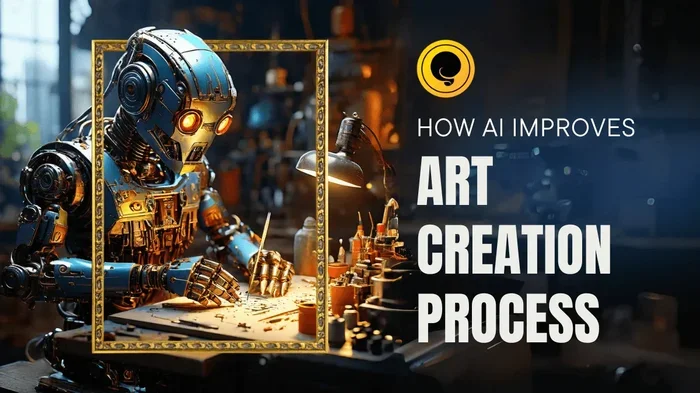
An AI art generator uses advanced algorithms and neural networks to create beautiful images from text prompts or existing photos. The technology behind AI art generators relies on deep learning models that study millions of images to understand patterns, colors, and styles. You type a simple description, and the AI builds a unique piece of AI-generated art in seconds. Understanding how this process works helps you get better results and use these tools more effectively.
Have you ever wondered how a few words typed into a box can turn into a breathtaking piece of digital art? That magic comes from AI art generators, and the technology behind them is both fascinating and powerful. These tools use complex computer systems to study millions of images and then create brand-new artwork from scratch. Whether you are a designer looking for inspiration or someone who just wants to explore creative AI tools, understanding the process opens up a whole new world of possibilities.
The rise of generative AI has changed how we think about creativity and digital art creation. What once required years of training and expensive software can now happen in seconds. But how exactly does an AI art generator turn your words into visual masterpieces? Let us break it down step by step so you can understand the technology and use it to your advantage.
Key Takeaways
- AI art generators use neural networks and deep learning to create images from text descriptions or existing visuals.
- Diffusion models and GANs are the two main technologies powering most modern AI art tools.
- Prompt engineering plays a big role in getting high-quality AI artwork that matches your vision.
- AI-generated images can be used for personal projects, commercial design, and creative exploration.
- Understanding how the technology works helps you choose the right tool and get better results.
- Limitations exist, including copyright concerns and the need for human guidance to refine outputs.
📑 Table of Contents
- What Is an AI Art Generator?
- The Core Technology Behind AI Art Generation
- How the Image Creation Process Works Step by Step
- Types of AI Art Generation You Should Know
- How to Choose the Right AI Art Generator
- Tips for Getting Better Results from AI Art Generators
- Limitations and Things to Keep in Mind
- The Future of AI Art Generation
- Conclusion
What Is an AI Art Generator?
An AI art generator is a software tool that uses artificial intelligence to create images. You give it a text prompt, upload a reference image, or choose a style, and the AI generates a unique piece of artwork. Think of it as a digital artist that has studied millions of paintings, photographs, and illustrations to learn how images are put together.
The technology behind these tools falls under the umbrella of machine learning art and image synthesis. Instead of following a fixed set of rules, the AI learns patterns on its own. It figures out how light works, how shadows form, and how different styles look. This learning process is what makes modern AI artwork so impressive and diverse.
How Do These Tools Learn?
Before an AI art generator can create anything, it needs to be trained. Developers feed the system massive datasets containing billions of images paired with text descriptions. The AI studies these pairs and learns connections between words and visual elements. Over time, it builds an internal understanding of what a “sunset over mountains” or “cyberpunk city” looks like.
This training process takes a lot of computing power and time. But once the model is trained, it can generate new images almost instantly. The AI does not copy and paste existing images. Instead, it uses what it learned to build something entirely new from scratch. This is the key difference between AI-generated images and simple collage tools.
The Core Technology Behind AI Art Generation
The engines that power AI art generators rely on two main technologies: neural networks and deep learning. These terms sound technical, but the concepts are easier to grasp than you might think.
Neural Networks and Deep Learning
A neural network is a computer system inspired by the human brain. It consists of layers of artificial neurons that process information. When you type a prompt into an AI art generator, the input passes through these layers. Each layer extracts different features, from simple shapes to complex details like textures and lighting.
Deep learning takes this further by using many layers stacked on top of each other. The deeper the network, the more complex patterns it can recognize. This is why modern AI image creation tools can produce such detailed and realistic results. The deep learning model understands subtle details that simpler systems would miss.
Diffusion Models Explained
Most of the popular AI art generators today use something called a diffusion model. Here is how it works in simple terms. The AI starts with a canvas of random noise, like TV static. Then it gradually removes the noise step by step, shaping the image based on your text prompt.
Each step refines the picture more and more. By the end, you have a clear, detailed image that matches your description. This process might sound slow, but modern computers do it in seconds. Diffusion models are the reason tools like Midjourney and DALL-E can create such stunning AI painting results.
GANs: The Older but Still Powerful Approach
Before diffusion models took center stage, GANs or Generative Adversarial Networks were the go-to technology for AI artwork. A GAN uses two neural networks that compete against each other. One network creates images, and the other tries to tell if they are real or fake.
Through this competition, both networks improve over time. The creator gets better at making realistic images, and the checker gets better at spotting fakes. This back-and-forth produces high-quality AI-generated images. While diffusion models have largely replaced GANs for text-to-image tasks, GANs are still used in specific applications like face generation and style transfer.
How the Image Creation Process Works Step by Step
Now that you know the core technologies, let us walk through exactly what happens when you create an image with an AI art generator. The process is faster than you might expect.
- You enter a text prompt. This is your description of what you want the image to look like. The more specific you are, the better the result tends to be.
- The AI parses your words. It breaks down your prompt into meaningful parts and connects them to visual concepts it learned during training.
- The model generates noise. The AI creates a starting point of pure random noise, which will become your image.
- Diffusion steps refine the image. The AI removes noise gradually, guided by your prompt, until a clear picture emerges.
- The final image is rendered. You get a complete AI-generated image that you can download, edit, or share.
Each of these steps happens in a fraction of a second on powerful computers. The entire process from prompt to finished image usually takes just a few seconds. This speed is one reason why AI art generators have become so popular among designers and hobbyists alike.
What Powers These Generators Behind the Scenes?
Just like how a Generac generator is powered by fuel or electricity to produce energy, an AI art generator is powered by data and computing resources. The AI model needs massive amounts of training data and powerful hardware, usually GPUs, to function properly. Without these resources, the system cannot learn patterns or generate images quickly.
When you use an AI art generator online, you are actually tapping into powerful remote servers. Your computer or phone sends your prompt to these servers, where the heavy lifting happens. The servers process your request and send the finished image back to you. This is similar to what a Generac generator runs on in the sense that both need a power source to deliver results.
Types of AI Art Generation You Should Know
AI art generators come in different flavors, and each one serves a unique purpose. Understanding the types helps you pick the right tool for your project.
Text-to-Image Generation
This is the most common type of AI image creation. You type a description, and the AI builds an image from nothing. Tools like DALL-E, Midjourney, and Stable Diffusion all use this approach. Text-to-image generation is incredibly versatile because you can describe anything from a realistic portrait to a fantasy landscape.
The key to getting great results with text-to-image is prompt engineering. This means crafting your description carefully to guide the AI. Instead of saying “a dog,” you might say “a golden retriever sitting in a sunny park with golden hour lighting.” The more detail you provide, the closer the result matches your vision.
Image-to-Image Transformation
Some AI art generators let you upload an existing image and transform it. You can change the style, add elements, or modify the composition. This is useful when you have a rough idea and want the AI to refine it. Image-to-image tools are popular among designers who want to quickly explore different visual directions.
Style Transfer
Style transfer is a fun technique where you apply the artistic style of one image to the content of another. For example, you could take a photograph and make it look like a Van Gogh painting. The AI separates the content from the style and recombines them in new ways. This type of digital art creation is both creative and educational.
How to Choose the Right AI Art Generator
With so many AI art tools available, picking the right one can feel overwhelming. The best choice depends on what you want to create and how much control you need over the process.
Think about what kind of generator you need for your specific goals. If you want quick, beautiful results with minimal effort, tools like Midjourney or DALL-E are excellent choices. If you want more control and customization, Stable Diffusion offers advanced options and a large community of users sharing custom models.
Consider these factors when making your decision:
- Ease of use. Some tools require no technical knowledge, while others have steep learning curves.
- Image quality. Different models produce different levels of detail and realism.
- Customization options. Can you adjust styles, resolutions, and aspect ratios?
- Cost. Some tools are free, while others require subscriptions or pay-per-use credits.
- Community and support. A strong user community means more tutorials, resources, and shared prompts.
Just like choosing what kind of generator you need for your home power needs, selecting the right AI art generator depends on your specific use case and requirements. Take time to test a few options before committing to one.
Tips for Getting Better Results from AI Art Generators
Using an AI art generator effectively is a skill that improves with practice. Here are some practical tips to help you create better AI artwork from the start.
Be Specific with Your Prompts
Vague prompts lead to vague images. Instead of saying “a landscape,” describe the specific landscape you want. Include details about the time of day, weather, colors, and mood. The AI uses every detail you provide to build a more accurate image.
Experiment with Different Styles
Most AI art generators let you specify an art style. Try the same prompt with different styles like “oil painting,” “watercolor,” “cyberpunk,” or “photorealistic.” You will be surprised at how different the results can be. This is a great way to explore creative AI tools and find your favorite combinations.
Iterate and Refine
Your first result is rarely your best result. Use the AI’s output as a starting point and refine your prompt based on what you see. Small changes to your description can lead to dramatically different images. This iterative process is at the heart of effective AI image creation.
Learn Basic Prompt Engineering
Prompt engineering is the art of crafting descriptions that guide the AI toward your desired output. Include keywords about composition, lighting, color palette, and mood. Many AI art communities share prompt templates that you can adapt for your own projects.
Limitations and Things to Keep in Mind
AI art generators are powerful, but they are not perfect. Understanding their limitations helps you use them more effectively and avoid frustration.
First, AI models sometimes struggle with complex compositions or specific details like hands and text. The AI has learned general patterns but may not always get every detail right. Second, the quality of output depends heavily on the quality of your prompt. A poorly written prompt will produce a poor image no matter how advanced the tool is.
There are also ethical and legal considerations. The training data used by AI art generators comes from existing artworks, which raises questions about copyright and artist compensation. As the technology evolves, these discussions will continue to shape how AI-generated images are used and shared.
Additionally, AI art generators require ongoing computing resources to operate. The servers that run these models consume significant energy, much like any other powerful technology. This is an important consideration as the use of generative AI continues to grow.
The Future of AI Art Generation
The technology behind AI art generators is evolving rapidly. New models are being released constantly, each one more capable than the last. We are seeing improvements in image resolution, text understanding, and artistic control. The gap between human-created art and AI-generated art continues to narrow in impressive ways.
In the near future, we can expect even more intuitive tools that understand complex creative instructions. AI artwork will likely become a standard part of design workflows across industries. From video games to advertising to personal creativity, the impact of AI image creation will only grow.
The key takeaway is that AI art generators are tools, not replacements for human creativity. They amplify what you can do and help you explore ideas faster. The best results come from combining the AI’s speed and pattern recognition with your own artistic vision and judgment.
Conclusion
AI art generators work by using neural networks and deep learning to transform text prompts into stunning visual art. The process involves training on massive datasets, using diffusion models or GANs to build images step by step, and refining outputs based on user feedback. Understanding this process helps you use these tools more effectively and get better results every time.
The world of digital art creation has been transformed by generative AI, making it easier than ever to bring your creative ideas to life. Whether you are a professional designer or someone exploring art for fun, AI art generators offer incredible possibilities. Start experimenting today, and you will be amazed at what you can create with just a few words and a powerful AI art generator.
Frequently Asked Questions
What is the main technology behind AI art generators?
The main technologies are neural networks, deep learning, diffusion models, and GANs. These systems study millions of images during training and then use that knowledge to create new images from text prompts or reference inputs.
Do AI art generators copy existing artwork?
No, they do not copy and paste existing images. Instead, they learn patterns, styles, and relationships from training data and use that knowledge to build entirely new images from scratch. Each output is unique.
Can anyone use an AI art generator?
Yes, most tools are designed for users of all skill levels. You do not need any technical or artistic background. Simple text prompts are all you need to get started with AI image creation.
How long does it take to generate an AI artwork?
Most AI art generators produce images in just a few seconds. The exact time depends on the complexity of the prompt, the model being used, and the computing resources available.
Are AI-generated images protected by copyright?
Copyright laws around AI-generated images are still evolving. Currently, most jurisdictions do not grant full copyright protection to purely AI-generated works because they lack human authorship. However, laws may change as the technology and its use become more widespread.
What is prompt engineering for AI art?
Prompt engineering is the practice of crafting detailed, specific text descriptions to guide an AI art generator toward the best possible output. It includes choosing the right words for style, composition, lighting, and mood to get results that match your vision.