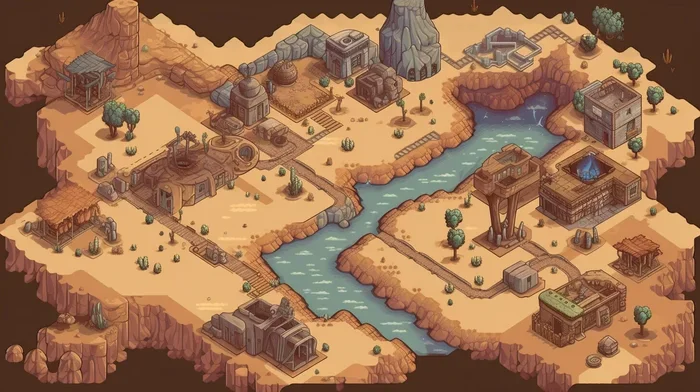
Find the Perfect Map Generator for Any Project or Game
A map generator is a powerful tool that creates game worlds, terrains, and levels automatically or semi-automatically. Whether you are building a fantasy RPG, a strategy game, or a digital art project, the right map generator saves you hours of work. In this guide, we break down the top options, key features, and tips to help you choose the best tool for your needs.
If you have ever wanted to build a sprawling game world or design a detailed floor plan, a map generator is your best friend. These tools take the hard work out of creating landscapes, dungeons, cities, and entire universes. Instead of drawing every tree and mountain by hand, you let the software do the heavy lifting. The results can be stunning, and the time savings are enormous.
Whether you are a solo indie developer, part of a small team, or a hobbyist exploring game design, finding the right map generator changes everything. This guide walks you through every type of tool, what to look for, and how to get started. You will also learn practical tips that help you make better maps faster.
Key Takeaways
- Map generators come in many types: random, procedural, tile-based, and manual editors.
- Game developers benefit hugely: these tools speed up world-building and level design.
- Free and paid options exist: you do not need a big budget to get started.
- Key features matter: look for terrain variety, export options, and ease of use.
- Pro tips boost quality: combining generators with manual editing gives the best results.
📑 Table of Contents
What Is a Map Generator?
A map generator is a software tool that creates maps automatically or with minimal input. Some tools use algorithms to build random terrain generator landscapes. Others let you set rules and watch the world grow. The best part is that you can create complex worlds in minutes instead of days.
These tools use a concept called procedural generation. This means the software follows mathematical rules to create unique layouts every time. You can set a “seed” number, and the same seed always produces the same map. This gives you control while still keeping things fresh and unpredictable.
Map generators are used in many fields. Game developers rely on them for level design and world building. Tabletop RPG players use them for campaign planning. Urban planners and educators also find these tools helpful. The possibilities are wide open.
Types of Map Generators
Not all map makers work the same way. Different types serve different needs. Here is a breakdown of the most common kinds you will encounter.
Random Map Generators
A random map generator creates maps with little or no input from you. You click a button, and the tool spits out a brand new layout. These are great for quick prototyping or when you want inspiration. Many online tools offer free random generation with just a few clicks.
The downside is that random maps can sometimes look chaotic. You may need to tweak settings or edit the output by hand. Still, for fast results, a random approach is hard to beat.
Procedural Map Generators
Procedural generation takes random maps a step further. You set parameters like terrain type, climate, and size. The tool then builds a cohesive world that follows your rules. This is the go-to method for most modern video games.
Games like Minecraft and No Man’s Sky use procedural world building tools at their core. You can achieve similar results with desktop software or web-based generators. The key advantage is variety, and every map feels unique.
Tile-Based Map Generators
A tile map generator builds maps from small square pieces called tiles. Each tile represents a specific feature, like grass, water, or a wall. These tools are popular in retro-style games and strategy titles.
Tile-based systems give you precise control over every square. You can design dungeon layouts, city grids, or puzzle levels with ease. Many RPG map generator tools use this approach because it fits the genre well.
Manual Map Editors
Not everything needs to be automatic. A manual map editor lets you draw and place every element yourself. These tools are perfect for designers who want full creative control.
You can still use a map generator to create a starting point, then refine it by hand. This hybrid approach gives you the best of both worlds. Speed meets quality, and your final product looks polished.
Best Map Generators for Game Development
Choosing the right tool depends on your project type and skill level. Here are some of the top categories and what they offer.
For 2D Games
If you are making a side-scroller or top-down game, a 2D map generator is what you need. These tools focus on flat, side-view or bird’s-eye perspectives. They handle terrain, obstacles, and item placement with ease.
Look for tools that export to common formats like PNG or CSV. This makes it simple to bring your maps into engines like Unity or Godot. Many free options exist, so you can test several before committing.
For 3D Games
3D map generators add height, depth, and full three-dimensional landscapes. These are ideal for first-person adventures, flight simulators, and open-world games.
The learning curve is steeper with 3D tools. You need to understand concepts like mesh generation and texture mapping. But once you get the hang of it, the results are incredibly immersive. Your players will feel like they are truly inside the world.
For Tabletop and Print
Not all map generators are for video games. Many creators use these tools for tabletop RPG sessions, board games, or printed materials. A fantasy map maker can produce beautiful hand-drawn-style landscapes.
These tools often include features like label placement, icon libraries, and terrain styling. You can create a full campaign map in an afternoon. It is a game-changer for dungeon masters and illustrators alike.
How to Choose the Right Map Generator
With so many options out there, picking the right one can feel overwhelming. Here are the key factors to consider before you commit.
Ease of Use
Start with tools that have a gentle learning curve. If you are a beginner, look for generators with clear tutorials and simple interfaces. A map editor that feels intuitive will save you hours of frustration.
Many free tools have active communities. You can find guides, templates, and tips on forums and YouTube. This support makes a big difference when you are just starting out.
Export and Compatibility
Check what file formats the tool supports. Can it export to PNG, SVG, JSON, or CSV? Does it work with your game engine or design software?
Compatibility matters a lot. If your game development tool cannot read the exported map, you will need extra steps to convert it. Look for tools that offer direct integration or widely supported formats.
Customization Options
The best map maker software lets you control the output. You should be able to adjust terrain density, water placement, climate zones, and more. The more flexible the tool, the better your final map will look.
Some generators use seed values. This means you can recreate the same map anytime or generate infinite variations from one starting point. It is a powerful feature for both development and replayability.
Cost and Licensing
Free tools are a great place to start. Many open-source generators offer solid features without any cost. Paid tools often include advanced features, better support, and more export options.
Before you spend money, try the free versions first. You may find that a free online map generator meets all your needs. If you need professional-grade features, then a paid option may be worth it.
Tips for Getting the Best Results
Using a map generator effectively takes a bit of know-how. Here are some practical tips that help you get the most out of any tool.
Start with a seed you love. Experiment with different seed values until you find a layout that excites you. Then build on that foundation. This saves time and keeps your creative energy high.
Combine generation with manual editing. Let the tool create the base, then refine it by hand. Add unique landmarks, custom paths, and special zones. This hybrid approach makes your maps stand out.
Keep backups of your seeds. If you generate a perfect map, save the seed number. You can recreate it later or make variations without starting from scratch.
Test your maps in context. A map that looks great on paper may not work in your game. Import it into your engine and playtest early. Adjust terrain heights, obstacle placement, and spawn points as needed.
Protect your hardware. When running intensive generation software or hosting game servers, make sure your equipment stays safe. Keep devices dry and ensure proper power connections. If you are running a server setup at home, you might need to wire a generator to a breaker box for backup power. You should also know how far a generator should be from the house for safety and ventilation. Protecting your gear means fewer interruptions during creative work.
Consider your power setup. Long rendering or generation sessions can strain your electrical system. It is worth understanding how much gas a generator uses if you rely on backup power for extended work. Keeping your workspace powered reliably lets you focus on creating without unexpected shutdowns.
Common Mistakes to Avoid
Even experienced creators make mistakes with map generation. Here are a few to watch out for.
- Skipping planning: Jumping straight into generation without a vision leads to messy results. Sketch your ideas first.
- Ignoring scale: A map that works on screen may not print well. Always check dimensions before finalizing.
- Over-relying on automation: Letting the tool do everything produces generic-looking maps. Add your personal touch.
- Forgetting playtesting: A beautiful map is useless if it does not work in gameplay. Test early and often.
- Neglecting file management: Save your seeds, exports, and project files in organized folders. You will thank yourself later.
Final Thoughts
Finding the perfect map generator is easier than you think. Whether you need a quick random layout or a detailed procedural world, the right tool is out there. Start with your project goals, explore the options, and do not be afraid to experiment.
The world of procedural content generation has opened up incredible possibilities for creators at every level. You do not need to be a programmer or an artist to make amazing maps. With the right map making software and a bit of creativity, you can build worlds that captivate your audience.
So pick a tool, set your seed, and start creating. Your next great project is just one map away.
Frequently Asked Questions
What is the best free map generator available?
Several free options work well for beginners and pros alike. Online tools like DungeonFog and Inkarnate offer free tiers with solid features. Open-source generators also provide excellent capabilities at no cost. Try a few and see which fits your workflow best.
Can I use a map generator for tabletop RPG campaigns?
Absolutely. Many creators use map generators to build campaign worlds, dungeon layouts, and city maps for tabletop games. Tools like Wonderdraft and Campaign Cartographer are popular choices. They let you add labels, icons, and custom details for your sessions.
Do I need coding skills to use a procedural map generator?
No. Most modern generators are designed for non-programmers. You adjust sliders, set parameters, and click generate. Some advanced tools may require basic scripting, but many user-friendly options exist for beginners.
What file formats do map generators typically export?
Common export formats include PNG, SVG, JPEG, JSON, and CSV. The best format depends on your project. Image formats work for visual maps, while data formats are ideal for game engine integration. Always check compatibility before you choose a tool.
How do seeds work in a map generator?
A seed is a starting number that the algorithm uses to create a map. The same seed always produces the same result. This lets you recreate favorite layouts or share them with others. Just save your seed values for future use.
Can I combine multiple map generators for one project?
Yes, many creators use more than one tool. You might generate a base terrain with one generator and add details with another. This hybrid workflow gives you more variety and control over the final result.