How To Generate Small Text Easily With This Free Tool
A small text generator lets you create tiny, stylish fonts instantly using Unicode characters. This free tool converts your regular text into mini, superscript, and subscript styles perfect for social media bios, captions, and usernames. You can copy and paste the results anywhere without downloading software. It works on all devices and takes just seconds to use.
Have you ever scrolled through Instagram and seen those tiny, cute letters in someone’s bio? Maybe you noticed a TikTok username that looked like it was written in a miniature font. That’s not a special keyboard or secret software. It’s a small text generator, and it’s one of the easiest tools you can use online today.
People love small text because it stands out. It catches the eye. It makes your profile look unique and polished. And the best part? You don’t need to be tech-savvy to use it. Anyone can generate tiny text in seconds and paste it wherever they want.
In this guide, I’ll show you exactly how a small text generator works, why people use it, and how you can start creating your own stylish text right now. Whether you want to decorate a social media bio, design a cool username, or just have fun with fonts, this tool has you covered. Let’s dive in.
Key Takeaways
- Free and instant: Generate small text online without paying a dime or installing anything.
- Uses Unicode characters: The tool converts normal letters into tiny Unicode symbols that display on most platforms.
- Great for social media: Perfect for Instagram bios, Twitter handles, Facebook posts, and TikTok captions.
- Multiple styles available: Choose from small caps, superscript, subscript, and other decorative text formats.
- Easy copy and paste: One click copies your styled text to the clipboard for quick sharing.
- Works on all devices: Use it on phones, tablets, and desktops without any compatibility issues.
📑 Table of Contents
What Is a Small Text Generator?
A small text generator is a free online tool that changes regular-sized letters into smaller, stylized versions. It does this using something called Unicode characters. Unicode is a universal standard that assigns a unique code to every character, symbol, and letter used in writing systems around the world.
When you type “hello” into a small text generator, the tool swaps each regular letter for a Unicode equivalent that looks smaller or decorative. The result is text that appears tiny, superscript, or subscript depending on the style you choose.
How Does It Work Behind the Scenes?
The process is simpler than you might think. Here’s what happens step by step:
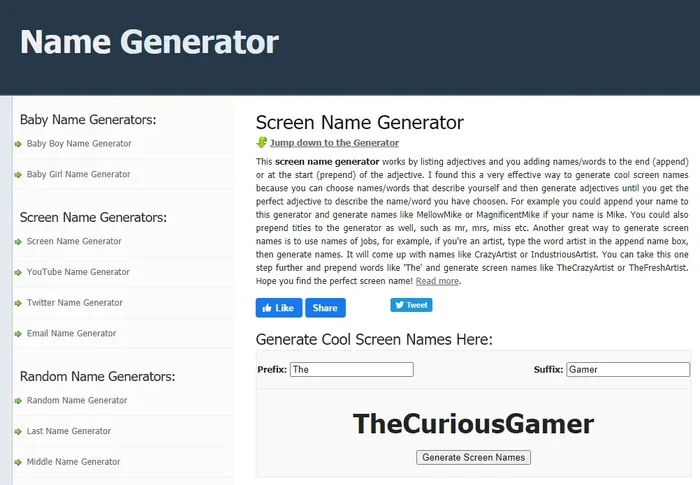
- You type your normal text into the input box.
- The tool scans each character and matches it to a Unicode equivalent.
- The converted text appears in the output box instantly.
- You click a button to copy the styled text to your clipboard.
- You paste it wherever you want — social media, documents, messages, or websites.
There’s no software to download. No account to create. No subscription fee. It’s all handled by the browser on your device. This is why a small text generator is so convenient and popular among everyday users.
Why Do People Use Small Text?
You might wonder why anyone would want tiny text. The reasons are more varied than you’d expect. Let’s look at the most common uses.
Social Media Profiles
Instagram, Twitter, TikTok, and Facebook all let users write bios and display names. A small text generator helps your profile stand out from the crowd. Instead of a plain bio, you can use stylish mini letters that grab attention immediately.
Usernames and Handles
Gamers, streamers, and content creators often want unique usernames. Tiny text makes a handle look distinctive and memorable. It’s a simple trick that adds personality to your online identity.
Creative Projects
Designers, artists, and content creators use small text in posters, flyers, and digital artwork. It adds a playful, modern feel to visual projects. A small font generator can complement graphic design work without needing advanced design software.
Fun and Personal Expression
Sometimes people just want to have fun. Sending a message in tiny text to a friend feels playful and creative. It’s a small way to express yourself digitally.
Types of Small Text Styles You Can Create
Not all small text looks the same. A good text converter offers several different styles. Here are the most popular ones:
Small Caps Text
Small caps use uppercase letters that are smaller than normal capital letters. They look clean and elegant. This style works well for formal-looking bios or professional usernames.
Superscript Text
Superscript characters sit above the normal text line. You’ve seen these in math equations and footnotes. In social media, superscript text looks playful and eye-catching.
Subscript Text
Subscript characters sit below the baseline. They’re commonly used in chemistry and science notation. In creative contexts, they add a unique visual dimension to your text.
Bold and Italic Small Text
Some generators combine small sizing with bold or italic formatting. This creates a layered effect that looks dynamic and stylish. It’s perfect for headings or emphasis in posts.
Unicode Symbols and Decorative Letters
Beyond just small letters, some tools offer full Unicode symbol sets. You can find circled letters, squared letters, and other decorative variants. These are great for making usernames that are truly one-of-a-kind.
How to Use a Small Text Generator in 5 Easy Steps
Using a small text generator is incredibly simple. Follow these five steps and you’ll have styled text in under a minute.
- Open the tool in your browser. No downloads or installations needed. Just visit the website.
- Type your text in the input box. Write whatever you want to convert — a name, a phrase, a username, anything.
- Choose your preferred style. Pick from small caps, superscript, subscript, or decorative options.
- Click the copy button. The converted text is instantly copied to your clipboard.
- Paste it wherever you want. Use it in Instagram bios, Twitter handles, WhatsApp messages, email signatures, or anywhere else text is accepted.
That’s it. Five simple steps. No technical knowledge required. The tool works on phones, tablets, laptops, and desktop computers alike.
Quick Tips for Best Results
- Keep it short: Small text is harder to read when it’s too long. Use it for short phrases, names, or bios.
- Test before posting: Paste the text into a notes app first to make sure it displays correctly.
- Mix styles: Combine small caps with regular text for a balanced look.
- Check platform support: Most social media platforms support Unicode text, but some older apps might not.
- Use it sparingly: A little bit of styled text goes a long way. Overusing it can make content hard to read.
Common Mistakes to Avoid
Even though using a small text generator is straightforward, there are a few pitfalls to watch out for.
Using Too Much Styled Text
If your entire bio or post is in tiny text, it becomes difficult to read. Use small text as an accent, not the main content. Mix it with normal-sized text for the best effect.
Ignoring Platform Compatibility
Some platforms filter out certain Unicode characters. If your styled text doesn’t appear correctly, try a different style from the generator. Not all Unicode variants render the same way on every app.
Forgetting to Copy
It sounds obvious, but many people forget to click the copy button before navigating away. Always copy your styled text immediately after generating it.
Using It for Misleading Purposes
Some people use tiny text to make fake links or deceive readers. Don’t do this. It’s unethical and can damage your reputation. Use styled text creatively and honestly.
Expert Insights on Small Text and Unicode
Why Unicode Matters for Text Styling
Unicode is the backbone of every small text generator. It’s what makes it possible to display styled text across different devices and platforms. Without Unicode, your tiny letters would just show up as blank boxes or question marks.
The beauty of Unicode is that it’s universal. A small caps “A” generated on your phone will look the same on someone else’s phone, tablet, or computer. This cross-platform compatibility is why Unicode-based text styling has become so popular.
The Future of Online Text Tools
As more people build their personal brands online, tools like small text generators will continue to grow in popularity. They represent a broader trend of democratized design — the idea that anyone can create polished, professional-looking content without special skills or expensive software.
The best part is that these tools are free and accessible. You don’t need to be a designer to make your social media profile look great. A simple online text generator gives you creative power at your fingertips.
Key Takeaways
- Free and instant: Generate small text online without paying a dime or installing anything.
- Uses Unicode characters: The tool converts normal letters into tiny Unicode symbols that display on most platforms.
- Great for social media: Perfect for Instagram bios, Twitter handles, Facebook posts, and TikTok captions.
- Multiple styles available: Choose from small caps, superscript, subscript, and other decorative text formats.
- Easy copy and paste: One click copies your styled text to the clipboard for quick sharing.
- Works on all devices: Use it on phones, tablets, and desktops without any compatibility issues.
Frequently Asked Questions
Is a small text generator really free to use?
Yes, most small text generators are completely free. You don’t need to create an account or pay any subscription fee. Just visit the website, type your text, and generate styled text instantly.
Can I use small text on all social media platforms?
Most modern social media platforms support Unicode characters, so small text will display correctly on Instagram, Twitter, TikTok, and Facebook. However, some older apps or niche platforms might not render all Unicode variants properly.
Does using a small text generator require any technical skills?
Not at all. These tools are designed to be incredibly simple. Anyone can use them regardless of age or technical experience. If you can type and copy-paste, you can use a small text generator.
Will small text work in WhatsApp or other messaging apps?
Yes, small text generally works in WhatsApp, Messenger, and most other messaging apps that support Unicode. Just generate the text, copy it, and paste it into your chat. The recipient will see the styled version.
Can I generate small text on my phone?
Absolutely. Since these tools run in your web browser, they work on smartphones and tablets just as well as on desktop computers. There’s no need to download any app.
Is small text the same as changing your font?
Not exactly. A small text generator uses Unicode characters rather than actual font changes. This means the text will display correctly even on platforms that don’t support custom fonts. It’s a more universal solution than installing a special font on your device.
Conclusion
A small text generator is one of the simplest yet most effective tools you can add to your digital toolkit. Whether you want to make your Instagram bio pop, create a memorable username, or just add some fun to your messages, this free tool delivers results in seconds.
The process is easy. The tool is free. And the creative possibilities are endless. You don’t need design experience, expensive software, or technical knowledge. Just type, convert, copy, and paste.
So why wait? Try a small text generator today and see how a few tiny letters can make a big difference in your online presence. Your profiles, posts, and messages will never look the same again.