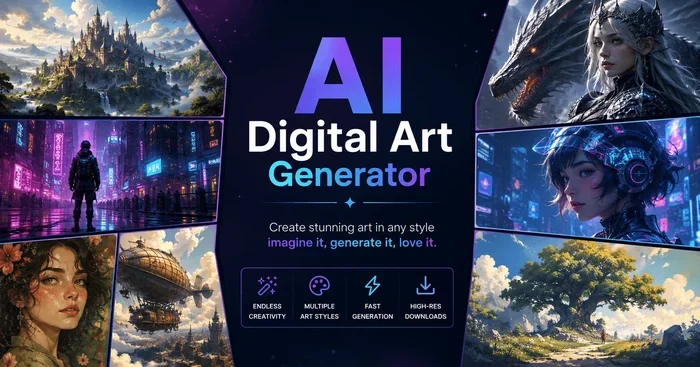
Free Chat GPT Image Generator Create Stunning AI Art
The free Chat GPT image generator lets you create AI art without spending a dime. You can generate beautiful images from simple text prompts using OpenAI’s powerful text-to-image AI technology. This guide covers everything from getting started to advanced prompt engineering for images and tips for better results.
Creating AI art has never been easier. The free Chat GPT image generator opens up a world of creative possibilities for anyone with an internet connection. Whether you are a designer looking for quick mockups or a hobbyist exploring AI image generation, this tool delivers impressive results at zero cost. You no longer need expensive software or years of training to produce eye-catching visuals.
In this guide, we will walk you through everything you need to know about using the free ChatGPT image generator. From writing the perfect prompt to understanding the limitations, you will find practical advice you can use right away. Let us dive in and explore how text-to-image AI technology can transform your creative projects.
Key Takeaways
- Free Access: ChatGPT offers free image generation capabilities through its AI tools, making AI art creation accessible to everyone.
- Easy to Use: You just type a description and the free AI image tool creates stunning visuals in seconds.
- Prompt Matters: The better your text prompt, the higher quality your AI generated art will be.
- No Sign-Up Costs: You can start creating AI pictures without paying for a subscription.
- Creative Possibilities: From landscapes to portraits, the free ChatGPT image generator can create almost any style of art.
- Limitations Exist: Free versions have some restrictions on usage and image quality compared to paid plans.
📑 Table of Contents
What Is the Free Chat GPT Image Generator?
The free Chat GPT image generator is a tool built into ChatGPT that lets you create images from text descriptions. OpenAI developed this feature using advanced AI image generation models. You type what you want to see, and the AI picture maker produces a visual representation of your idea.
This technology uses something called text-to-image AI. It reads your words and translates them into pixels on a screen. The result is a unique image that matches your description. Think of it like having an artist who can draw anything you describe in seconds.
How Does It Work?
The free AI image tool works by analyzing the words in your prompt. It breaks down your description into key elements like style, subject, colors, and mood. Then it uses its training data to generate a brand new image that matches those elements. The entire process happens in seconds.
You do not need any special skills to use it. If you can describe what you want in words, you can create AI generated art. The system handles all the complex work behind the scenes. This makes AI art creation available to everyone, regardless of technical background.
Who Can Access It?
Many users can access the free ChatGPT image generator without paying anything. OpenAI offers basic free ChatGPT features that include image generation. You simply need a free account to get started. Some advanced features may require a ChatGPT Plus subscription, but the core image tools remain available at no cost.
The accessibility of this free AI art tool is one of its biggest advantages. Students, small business owners, content creators, and hobbyists can all benefit. You do not need a powerful computer or special hardware. Everything runs in the cloud through your web browser.
How to Create AI Art with ChatGPT
Getting started with create AI images using ChatGPT is straightforward. The process is designed to be simple and intuitive. Here is how you can start making AI art right now.
Writing the Perfect Prompt
The key to great AI generated art lies in your prompt. A prompt is simply the text description you give to the free Chat GPT image generator. The more specific and clear your prompt, the better your results will be.
Here are some tips for writing effective prompts:
- Be descriptive: Include details about colors, lighting, and style.
- Specify the subject: Clearly state what you want in the image.
- Mention the mood: Describe the feeling or atmosphere you want.
- Add style references: Mention art styles like watercolor, oil painting, or digital art.
- Include composition details: Describe the layout or perspective you prefer.
For example, instead of saying “a dog,” try “a golden retriever puppy sitting in a sunny garden, oil painting style, warm lighting, peaceful mood.” The text prompt image quality improves dramatically with more detail.
Step-by-Step Process
Follow these steps to create your first AI art piece:
- Open ChatGPT and log into your free account.
- Navigate to the image generation feature.
- Type your detailed description in the prompt box.
- Click the generate button and wait a few seconds.
- Review the results and refine your prompt if needed.
- Download or share your AI picture maker creation.
You can iterate on your images by adjusting your prompts. If the first result is not quite right, try rephrasing or adding more details. Prompt engineering for images is a skill that improves with practice. Each attempt teaches you what works best.
Quick Tips
- Use commas to separate different elements in your prompt.
- Mention the aspect ratio if you want a specific shape.
- Include lighting descriptions like “soft morning light” or “dramatic shadows.”
- Try different art styles to see what fits your vision.
- Keep your prompts in English for the best results.
Benefits of Using a Free AI Image Generator
The free Chat GPT image generator offers many advantages that make it a popular choice for AI art creation. Let us explore the key benefits.
Cost Savings
The most obvious benefit is that it costs nothing to use. Many professional AI image generator online tools charge monthly fees or per-image costs. The free AI image tool from ChatGPT removes that barrier entirely. You can create unlimited images without worrying about your budget.
This is especially helpful for small businesses and freelancers. Instead of paying for stock photos or hiring a designer, you can generate custom visuals for free. The savings add up quickly, especially if you need images regularly. Compare this to how much how much a generator costs for other tools, and the value becomes clear.
Ease of Use
You do not need any technical skills to use the free Chat GPT image generator. The interface is simple and user-friendly. Anyone who can type a sentence can create AI generated art. There is no learning curve, no software to install, and no complicated settings to navigate.
The AI art free tool handles all the complex processing on its servers. You just focus on describing what you want. This simplicity makes it perfect for beginners who are just exploring AI image generation for the first time.
Speed and Convenience
Generating images takes only seconds. You type your prompt, and the free AI art tool delivers results almost instantly. This speed makes it ideal for quick projects, brainstorming sessions, or when you need visuals fast. Unlike traditional design work that can take hours, create images with AI takes minutes.
The convenience also extends to accessibility. You can use the free ChatGPT image generator from any device with internet access. Your phone, tablet, or laptop all work equally well. You are not tied to a specific location or device.
Limitations and Things to Know
While the free Chat GPT image generator is powerful, it does have some limitations. Understanding these helps you set realistic expectations and get the best results.
Image Quality Considerations
Free versions may have lower resolution limits compared to paid options. Some images might not be as sharp or detailed as you would get with premium tools. The AI picture maker works well for most general purposes, but professional printing may require higher quality outputs.
Additionally, the AI generated art may sometimes have small artifacts or inconsistencies. Faces might look slightly off, or text within images may not be perfect. These are common limitations across all text-to-image AI tools, not just the free version.
Usage Restrictions
The free ChatGPT image generator may have usage limits on how many images you can create per day. These restrictions help manage server load and ensure fair access for all users. If you need to generate a large volume of images, you might hit these limits.
It is also important to understand the commercial use policies. While you can create images for personal use freely, commercial use may have different rules. Always check the terms of service for the free AI image tool before using images for business purposes.
Common Mistakes
- Being too vague in your prompts leads to disappointing results.
- Expecting perfect results on the first try without refining your prompt.
- Ignoring the aspect ratio and getting unexpected image dimensions.
- Not specifying the art style, which leaves the AI to guess your preference.
- Using overly complex prompts that confuse the AI image generator.
Tips for Creating Better AI Art
Improving your AI art creation skills takes practice and a few smart strategies. Here are expert-tested tips to help you get better results from the free Chat GPT image generator.
Prompt Engineering for Images
Prompt engineering is the art of crafting descriptions that produce the best AI generated art. Think of your prompt as instructions for an artist. The more specific and clear you are, the closer the result will match your vision.
Start with the subject, then add details about style, lighting, colors, and mood. For example: “A serene mountain lake at sunset, watercolor style, soft orange and pink reflections, calm atmosphere, wide angle view.” This level of detail gives the text-to-image AI clear direction.
Experiment with Styles
One of the best things about the free AI art tool is the ability to experiment with different styles. Try the same subject in multiple styles to see what works best. You might be surprised by the results.
Try these styles in your prompts:
- Photorealistic
- Cartoon or anime
- Oil painting
- Watercolor
- Digital art
- Pencil sketch
- Retro or vintage
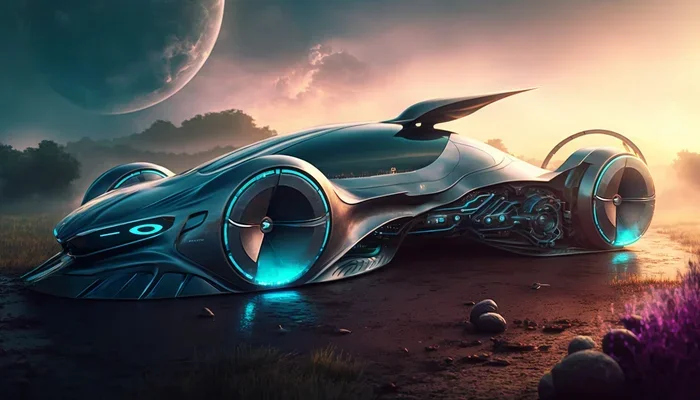
- Futuristic or sci-fi
Iterate and Refine
Do not settle for the first result. The best AI art comes from iterating on your prompts. If the image is close but not perfect, adjust your description and try again. Each iteration helps you understand what the free ChatGPT image generator responds to best.
Expert Insight
Professional AI art creators recommend keeping a notebook of prompts that worked well. This way, you build a library of effective descriptions you can reuse and modify. Over time, you develop your own style of prompt engineering for images that consistently produces great results.
Free vs Paid AI Image Generators
There are many AI image generator online tools available, both free and paid. Understanding the differences helps you choose the right tool for your needs.
| Feature | Free ChatGPT Generator | Paid AI Generators |
|---|---|---|
| Cost | Free | Monthly fees or per-image |
| Image Quality | Good for most uses | Higher resolution options |
| Usage Limits | Daily limits apply | Usually higher or unlimited |
| Commercial Use | Check terms of service | Often included in plans |
| Ease of Use | Very simple | Varies by platform |
| Customization | Basic to moderate | Advanced options available |
The free Chat GPT image generator is an excellent starting point. It gives you access to powerful AI image generation without any financial commitment. As your needs grow, you can explore paid options that offer more features and higher quality outputs.
When deciding between free and paid tools, consider your usage patterns. If you only need images occasionally, the free AI art tool is perfect. If you are a professional who needs high volumes and premium quality, a paid AI image generator online might be worth the investment.
Getting Started Right Now
The best way to learn about the free Chat GPT image generator is to start using it today. Open ChatGPT, type your first prompt, and see what happens. You will be amazed at how quickly you can create beautiful AI art.
Remember that every expert started as a beginner. Your first few images might not be perfect, and that is completely okay. The free AI image tool is designed to help you learn and improve. With practice, you will develop an eye for what makes a great prompt and how to get the best results.
Share your creations with friends and get feedback. The AI art creation community is growing rapidly, and connecting with other users can inspire new ideas and techniques. The possibilities with the free ChatGPT image generator are truly endless.
Whether you are creating art for fun, designing content for your business, or exploring the world of AI generated art, the free Chat GPT image generator gives you everything you need to get started. No cost, no barriers, just pure creative freedom.
Final Thoughts on Free AI Image Generation
The free Chat GPT image generator represents a remarkable advancement in creative technology. It puts powerful AI image generation tools in the hands of anyone who can type a sentence. This democratization of art creation is truly exciting and opens doors for millions of people worldwide.
As the technology continues to evolve, we can expect even better results from text-to-image AI tools. The free AI image tool will likely become more sophisticated, offering higher quality and more features over time. By starting now, you position yourself at the forefront of this creative revolution.
So go ahead and explore the free ChatGPT image generator. Experiment with different prompts, try new styles, and push the boundaries of what AI art creation can do. The only limit is your imagination. Start creating your own AI generated art today and discover the incredible potential of text-to-image AI technology.
Remember, the free AI art tool is always there waiting for you. Whether you need a quick image for a project or want to explore your creative side, the free Chat GPT image generator has you covered. Happy creating!
Frequently Asked Questions
Is the Chat GPT image generator completely free?
Yes, the free Chat GPT image generator is available at no cost with a basic ChatGPT account. You can create AI generated art without paying anything. Some advanced features may require ChatGPT Plus, but the core image tools remain free.
How do I write a good prompt for AI image generation?
A good prompt is specific and detailed. Describe the subject, style, lighting, colors, and mood you want. The free ChatGPT image generator responds better to clear, descriptive prompts. Think of it like giving instructions to an artist. Include as much visual detail as possible in your text prompt image description.
Can I use AI-generated images for commercial purposes?
This depends on the terms of service for the free AI image tool. While personal use is generally free, commercial use may have different rules. Always review the usage policies before using AI generated art for business projects or commercial content. When in doubt, check OpenAI’s official guidelines.
Why are my AI images not looking perfect?
AI generated art is still evolving, and some imperfections are normal. Faces may look slightly off, and text within images can be inconsistent. The free ChatGPT image generator produces good results for most purposes, but professional-grade perfection may require additional editing or a different tool. Try refining your prompt for better results.
What styles can I create with the free Chat GPT image generator?
The free AI art tool can create a wide variety of styles including photorealistic, watercolor, oil painting, digital art, cartoon, anime, pencil sketch, and more. You just need to specify the style in your prompt. AI art creation with different styles is one of the most fun aspects of using this tool.
How long does it take to generate an image?
The free ChatGPT image generator produces images in just seconds. Once you submit your prompt, the text-to-image AI processes your request and delivers results almost instantly. This speed makes it perfect for quick projects, brainstorming, and iterative creative work.