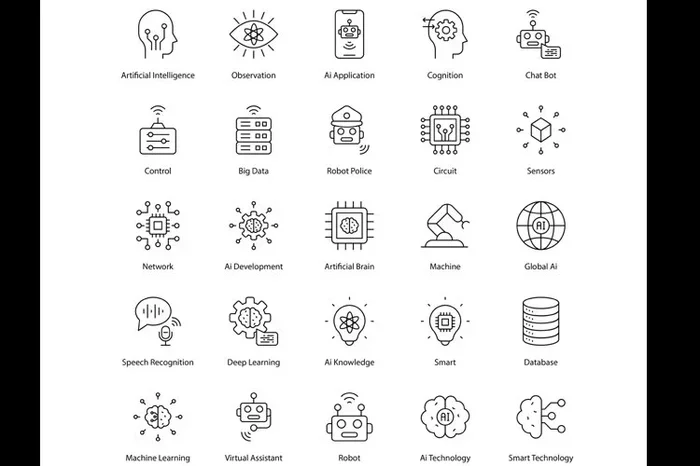
The Best AI Icon Generator Tools to Create Stunning Icons
AI icon generators let you create beautiful, custom icons in seconds without design skills. These smart tools use artificial intelligence to turn your ideas into polished vector icons ready for apps, websites, and branding. In this guide, you will learn how the top AI icon makers work, which ones deliver the best results, and simple tips to get the most out of every tool.
Creating icons used to mean hours of sketching, drawing, and tweaking in complex software. Today, an AI icon generator changes all of that. You type a simple description, and the tool builds a polished icon for you in seconds. It is fast, fun, and surprisingly powerful. Whether you are building an app, designing a website, or sprucing up a brand, these tools make icon creation feel like magic.
But with so many options popping up, how do you know which one is right for you? Some tools are built for quick social media graphics. Others focus on professional-grade vector icons that scale perfectly to any size. And a few even let you generate entire icon packs with matching styles. This guide walks you through the best AI icon generators available right now, explains how to pick the right one, and shares practical tips to get stunning results every single time.
If you have ever struggled with finding the right icon design tool or wasted time hunting through icon libraries, you are in the right place. Let us dive into the world of AI-powered icon creation and find the tool that fits your needs perfectly.
Key Takeaways
- AI icon generators save time: Create icons in seconds instead of hours with just a text prompt.
- Multiple tools fit every budget: Free and paid options exist for beginners and professionals alike.
- Quality varies by tool: Some generators excel at flat design while others shine with 3D or detailed icons.
- Customization is key: The best results come from tweaking AI outputs to match your brand style.
- Licensing matters: Always check usage rights before using AI-generated icons commercially.
- Prompting skills improve results: Learning how to describe what you want dramatically improves output quality.
📑 Table of Contents
What Is an AI Icon Generator?
An AI icon generator is a software tool that uses artificial intelligence to create icons from text descriptions or simple inputs. Instead of drawing every line and curve yourself, you describe what you want, and the AI builds it. Think of it as having a designer who works at lightning speed and never gets tired.
How Do AI Icon Generators Work?
These tools run on advanced machine learning models trained on millions of icons and graphics. When you type a prompt like “a blue rocket icon with a flat design style,” the AI analyzes patterns it has learned and generates a brand-new image that matches your description. The process happens in seconds. Most generators let you adjust colors, sizes, and styles after the initial creation. Some even let you export icons in multiple formats like SVG, PNG, and ICO.
Why Are AI Icons Different from Hand-Drawn Icons?
Traditional icons are drawn by hand using tools like Adobe Illustrator or Figma. They take skill, time, and patience. AI icons are generated automatically based on your input. This means anyone can create professional-looking icons without any design experience. The trade-off is that AI outputs sometimes need a little tweaking to get them perfect. But for most projects, the speed and convenience far outweigh any small imperfections.
It is worth noting that AI icon generators are different from physical machines. If you have ever wondered what kind of generator do I need for home power, that is a completely different type of generator. An AI icon generator is purely digital software that creates visual assets using neural networks and design algorithms.
Top AI Icon Generator Tools Reviewed
The market is packed with AI icon makers, but not all of them are created equal. Here is a look at the standout tools that deliver real results for real projects.
Icons8 AI Icon Generator
Icons8 has been a go-to resource for designers for years, and their AI-powered tool takes it to the next level. You type what you need, pick a style, and get a set of matching icons. The platform supports multiple formats and offers both free and paid plans. It works well for people who need quick icons for websites or presentations. The quality is consistently good, and the styles range from minimal to detailed.
Figma AI Plugins
Figma is one of the most popular design platforms, and now it has AI plugins that can generate icons right inside your design file. This means you do not have to switch between tools or export and import files. The icons blend naturally with your existing work. If you already use Figma for graphic design projects, adding an AI icon plugin saves a ton of time. The plugin ecosystem means you can pick the AI model that suits your style best.
Looka Icon Generator
Looka is known for logo design, but their icon generator is a hidden gem. You answer a few questions about your brand, and it creates icons that match your identity. The output feels cohesive and professional. It is especially useful for startups and small businesses that need a full set of matching icons. The tool also generates brand kits, so your icons stay consistent with your logo and color palette.
Adobe Firefly for Icon Design
Adobe Firefly brings AI generation into the Adobe ecosystem. You can create icons and then refine them using Adobe Illustrator or Photoshop. This is ideal for experienced designers who want AI speed with manual control. The quality is top-notch, and the integration with other Adobe tools makes workflows smooth. If you already pay for an Adobe subscription, this is an easy add-on to explore.
How to Choose the Right AI Icon Generator
Not every tool will work for every project. Here are the key factors to consider when picking your AI icon maker.
Consider Your Output Needs
Think about what you need the icons for. Are you building mobile app icons? Website graphics? Marketing materials? Different tools specialize in different areas. Some generators produce icons that look great at small sizes but get fuzzy when scaled up. Others create vector icons that stay sharp at any size. Always check whether the tool exports in the formats you need.
Evaluate the Style Options
The best tools let you choose from many styles. You might want flat icons for a modern app, or hand-drawn icons for a creative portfolio. Some generators offer 3D styles, gradient effects, and even animated options. Pick a tool that gives you enough variety to match your project’s aesthetic. Having style control makes a huge difference in how polished the final result looks.
Check Pricing and Licensing
Many AI icon generators offer free tiers with limited downloads. Paid plans usually unlock higher resolution exports, more style options, and commercial use rights. Before you commit, read the licensing terms carefully. Some tools restrict commercial use on free plans, while others give you full rights on all outputs. This is especially important if you plan to sell products or use icons in client work.
Think About Ease of Use
If you are not a designer, you want a tool with a simple interface and clear prompts. Some generators are incredibly intuitive, while others require a bit of learning. Look for tools that give you instant previews and make it easy to adjust colors, sizes, and styles on the fly. The best icon creator software feels like playing a game, not doing homework.
Tips for Creating Stunning Icons with AI
Getting great results from an AI icon generator is easier when you know a few tricks. Here are practical tips that make a big difference.
Write Clear and Specific Prompts
The more detail you give the AI, the better the result. Instead of typing “a house icon,” try “a flat-style house icon with a blue roof, white walls, and a chimney on a solid background.” Specific descriptions guide the AI toward exactly what you want. Include details about color, style, size, and mood. Think of your prompt as a brief creative brief.
Generate Multiple Variations
Most tools let you create several versions at once. Take advantage of this. Generate five or six icons with slightly different prompts, then pick the best one. Sometimes the most unexpected variation ends up being your favorite. Do not settle on the first result you see. Experimentation leads to better outcomes.
Refine and Customize After Generation
AI does not always get everything perfect on the first try. Use built-in editing tools or export the icon into a design app for adjustments. You might need to tweak the color balance, fix a slightly off-center element, or clean up edges. This refinement step is what separates a good icon from a great one. Even a few minutes of editing can transform a decent AI output into something truly polished.
Build Consistent Icon Sets
If you need a full set of icons, use the same prompt structure and style settings for each one. This keeps the line weight, color palette, and design style consistent across the entire set. Consistency is what makes icon packs look professional and cohesive. Some tools even let you save style presets so you can reuse them across projects.
Common Mistakes to Avoid with AI Icon Generators
Even with the best tools, it is easy to fall into a few traps. Here is what to watch out for.
Ignoring Licensing and Usage Rights
Not all AI-generated icons can be used commercially. Some tools require paid plans for commercial use, while others place restrictions on how you can use the output. Always read the terms of service before using icons in a product or client project. This is especially important for businesses and freelancers who need legal protection.
Accepting Low Resolution Exports
Free plans often limit you to low-resolution downloads. If you need icons for high-DPI screens or print materials, you will need a higher resolution. Always check the export settings and upgrade if necessary. A blurry icon on a crisp retina display looks unprofessional and hurts your brand.
Overcomplicating Your Prompts
More detail is not always better. Sometimes a simple, clear prompt produces better results than a long, complex one. The AI works best when you focus on the most important visual elements. Stick to the key details: shape, color, style, and background. Let the AI fill in the rest.
Forgetting About Scalability
Icons need to look good at every size, from a tiny app icon to a large banner. If the tool does not produce vector formats, your icons may get pixelated when scaled up. Always check whether the generator offers SVG or other scalable formats. This is one of the biggest advantages of using AI for icon design compared to raster-only tools.
AI Icon Generators vs Traditional Design Software
Traditional design software like Adobe Illustrator gives you complete control over every pixel. You can create icons of any complexity and style. But that control comes with a steep learning curve and significant time investment. An AI icon generator trades some control for massive speed gains.
For simple, clean icons, AI tools often match or even beat hand-drawn results in speed. For highly detailed or brand-specific icons, traditional software still wins. The best approach for many designers is a hybrid workflow. Use AI to generate a starting point, then refine it in your preferred design tool. This gives you the best of both worlds: speed from AI and precision from manual editing.
One thing to keep in mind is that AI tools and physical tools are very different. While you might wonder how much gas does a generator use or how long can a generator run when thinking about physical equipment, an AI icon generator runs on electricity and computing power. It needs no fuel, produces no emissions, and works silently in the background. The operating costs are minimal compared to traditional design workflows that require expensive software subscriptions and powerful hardware.
Think about it this way. A physical generator powers your home when the lights go out. An AI icon generator powers your creativity when you need visual assets fast. Both solve real problems, just in very different domains. The key is knowing which tool to reach for at the right time.
The Future of AI Icon Design
The technology behind AI icon generators is improving rapidly. New models are producing sharper, more detailed, and more stylistically diverse icons with each update. In the near future, we can expect tools that understand brand guidelines automatically and generate entire icon systems from a single prompt. Imagine describing your brand and getting a complete, matching icon set in minutes.
AI will not replace skilled designers, but it will change how they work. Designers will spend less time on repetitive tasks and more time on creative strategy and refinement. For non-designers, AI icon generators are already leveling the playing field, giving everyone access to professional-quality visuals. The tools are getting smarter, faster, and more accessible every single day.
If you are just starting to explore AI icon design, now is the perfect time. The tools are mature enough to deliver real results, and the learning curve is gentle. Try a few generators, experiment with different prompts, and find the workflow that suits you best. You might be surprised at how quickly you can build a stunning set of icons for your next project.
Remember, the best AI icon generator is the one that fits your specific needs. Whether you need a quick social media icon or a complete brand icon set, there is a tool out there ready to help. Start experimenting today, and you will see how much time and creativity these tools unlock.
As you build your skills, you will develop an eye for what makes a great icon. You will learn which styles work best for different platforms and audiences. And you will discover that the combination of AI speed and human creativity produces results that neither could achieve alone. That is the real power of these tools.
Frequently Asked Questions
What is the best free AI icon generator?
Icons8 and several Figma AI plugins offer free tiers that work well for basic icon creation. The free versions usually have some limits on downloads and resolutions, but they are great for getting started and testing the technology before committing to a paid plan.
Can I use AI-generated icons for commercial projects?
It depends on the tool’s licensing terms. Some generators allow commercial use on all plans, while others restrict it to paid tiers. Always check the specific usage rights before using icons in any product, client work, or revenue-generating project to avoid legal issues.
Do AI icon generators create vector files?
Many of the best tools do offer SVG exports, which are vector formats that scale without losing quality. However, not all generators support vector output. If scalability matters for your project, check the export options before you choose a tool.
How long does it take to generate an icon with AI?
Most AI icon generators produce results in seconds. The entire process from typing a prompt to downloading the final icon usually takes less than a minute. This speed is one of the biggest advantages over traditional hand-drawn icon creation, which can take hours or even days.
Do I need design skills to use an AI icon generator?
No. These tools are designed to be user-friendly for people with no design background. You just need to describe what you want in plain language. That said, having a basic understanding of design principles like color harmony and visual balance helps you get even better results.
What makes an AI-generated icon look professional?
Clear prompts, consistent style settings, and a little post-generation editing go a long way. Choosing the right color palette, keeping designs simple, and ensuring scalability all contribute to icons that look polished and professional rather than generic or rough around the edges.
=== CONCLUSION ===
The world of icon design has been transformed by AI technology. An AI icon generator gives you the power to create beautiful, custom icons in seconds without any design experience. From mobile apps to branding projects, these tools make visual creation faster and more accessible than ever before.
The best tools reviewed in this guide offer a range of styles, price points, and features to fit different needs. Whether you are a solo entrepreneur, a design team, or someone just starting out, there is an AI icon maker that will work for you. Focus on writing clear prompts, experimenting with variations, and refining your outputs for the best results.
Remember that quality comes from a combination of the right tool and a little creative effort. Use these tips, explore the options, and start creating icons that truly represent your vision. The future of icon design is here, and it is waiting for you to try it.