What Tools Do Robotic Engineers Use to Build Robots
So, what tools do robotic engineers use to build robots? They rely on a powerful mix of CAD and 3D modeling software, programming languages like Python and C++, and prototyping equipment such as 3D printers and CNC machines to bring their designs to life. From simulation platforms and the Robot Operating System (ROS) to microcontrollers, sensors, and motion control hardware, these tools help engineers design, test, and refine everything from robotic arms to fully autonomous systems — making the future of automation a reality.
What Tools Do Robotic Engineers Use to Build Robots
If you have ever wondered how robots go from a sketch on a napkin to a fully functional machine, the answer lies in the tools robotic engineers use. These professionals rely on a fascinating mix of software, hardware, and specialized equipment to bring their designs to life. Whether they are building a tiny drone or a massive industrial arm, the right tools do robotic engineers use every single day. Understanding what goes into the process gives you a real appreciation for the complexity and creativity behind modern robotics.
The world of robotics blends mechanical engineering, electrical engineering, and computer science into one exciting field. Engineers in this space need a diverse toolkit that spans everything from digital design platforms to physical fabrication equipment. In this article, we will walk through the essential tools robotic engineers use across every stage of the build process. You will learn about the software that powers design, the hardware that shapes parts, and the testing equipment that ensures everything works safely and reliably.
Many people assume robotics is all about coding. While programming is a huge part of it, the physical side of building robots demands just as much precision and know-how. From soldering tiny connections to running a pneumatic air compressor for actuation systems, the hands-on work is critical. We will break it all down so you can see exactly what goes into creating a robot from the ground up.
Key Takeaways
- CAD software is essential: It lets engineers design precise 3D robot models before building anything physical.
- Simulation tools save time: They test robot movements and behaviors in a virtual environment first.
- Microcontrollers bring robots to life: They serve as the brain controlling all robot functions and responses.
- 3D printing speeds up prototyping: Engineers quickly build physical parts to test designs and make improvements.
- Sensors and actuators enable movement: They give robots the ability to sense and interact with surroundings.
- Programming languages drive robot logic: Python and C++ help engineers code intelligent robot behavior and automation.
📑 Table of Contents
- Design and Modeling Software
- Hardware and Fabrication Tools
- Electronics and Circuit Building Tools
- Programming and Software Development Tools
- Testing and Measurement Equipment
- Power Systems and Battery Tools
- Comparison of Essential Tools by Category
- Quick Tips for Aspiring Robotic Engineers
- Common Mistakes to Avoid
- Final Thoughts
Design and Modeling Software
Before a single bolt gets tightened, robotic engineers spend a lot of time in digital environments. Design software is where ideas become visual plans. These programs let engineers create detailed 3D models of every robot component, from the frame to the smallest gear. Without solid modeling tools, it would be nearly impossible to catch design flaws before anything gets built.
Computer-Aided Design (CAD) Platforms
CAD software is the backbone of robotic design. Engineers use it to draft precise mechanical parts and assemblies. Popular options include SolidWorks, AutoCAD, and Fusion 360. Each platform has its strengths, but they all share one goal: helping engineers visualize and refine their robotics design tools before manufacturing begins.
- SolidWorks offers powerful parametric modeling for complex mechanical systems.
- Fusion 360 combines CAD, CAM, and simulation in one cloud-based package.
- AutoCAD is great for detailed 2D drafting and technical drawings.
Simulation and Finite Element Analysis
Once a model is ready, engineers run simulations to test how it will perform under real-world conditions. Simulation tools like ANSYS and MATLAB allow engineers to stress-test designs virtually. They can see how a robotic arm handles load, where heat builds up, and whether a part will fatigue over time. This step saves enormous amounts of money and prevents costly mistakes during physical prototyping.
Hardware and Fabrication Tools
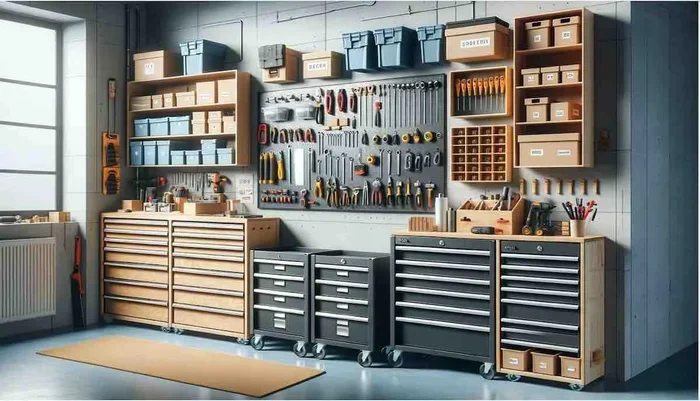
After the digital design phase, engineers move into the workshop. This is where the physical tools robotic engineers use really come into play. Fabrication tools turn digital models into real, tangible parts. The workspace of a robotics engineer often looks like a mix of a machine shop and an electronics lab.
3D Printers and Rapid Prototyping
Rapid prototyping has changed robotics forever. Engineers can now print a working part in hours instead of waiting weeks for a machine shop. FDM (Fused Deposition Modeling) printers are the most common choice for early-stage prototypes. For higher-detail work, SLA (Stereolithography) printers produce smoother surfaces and finer features.
Many robotics labs keep multiple printers running around the clock. It is not unusual for an engineer to print and test three or four versions of a single component in one week. This fast iteration cycle is one of the biggest advantages of modern robotics prototyping tools.
CNC Machines and Manual Milling
For parts that need tight tolerances and high strength, CNC (Computer Numerical Control) machines are essential. These automated mills cut metal, aluminum, and engineering plastics with remarkable precision. Robotics engineers also use manual milling machines for simpler tasks or custom modifications.
CNC work requires careful programming and setup, but the results are worth it. A well-machined aluminum bracket can hold up under thousands of cycles of stress, while a 3D-printed version might fail much sooner.
Pneumatic and Hydraulic Equipment
Robots that need strong, smooth motion often rely on pneumatic or hydraulic systems. At the heart of many pneumatic setups is an air compressor. Engineers use compressed air to power cylinders, grippers, and actuators that move robot joints with consistent force.
Understanding how to set up and maintain this equipment is a key part of the job. For example, knowing what attack does on a compressor helps engineers fine-tune how quickly pneumatic actuators respond to signals. A well-tuned compressor system gives robots the smooth, responsive movement they need. Engineers also rely on guidelines for using an air compressor safely and efficiently in the lab. Regular maintenance, including choosing the right oil for the compressor, keeps everything running reliably for years.
Electronics and Circuit Building Tools
A robot is only as smart as its electronics. Robotic engineers spend a significant portion of their time designing, assembling, and debugging circuit boards and wiring systems. The right electronics tools make this process faster and more accurate.
Soldering Stations and Multimeters
A quality soldering station is non-negotiable in any robotics lab. Engineers solder connections between sensors, microcontrollers, motor drivers, and power supplies every day. A temperature-controlled soldering iron gives them the precision needed for delicate work on small PCBs (Printed Circuit Boards).
Multimeters are the everyday companion of any robotics engineer. These devices measure voltage, current, and resistance to help diagnose problems in a circuit. A quick check with a multimeter can reveal a loose connection or a fried component in seconds.
Microcontrollers and Development Boards
Microcontrollers are the brains of most robots. Engineers use platforms like Arduino, Raspberry Pi, and ESP32 to build and test control systems. These development boards are affordable, versatile, and supported by huge communities of makers and professionals.
During the early stages of a project, engineers often prototype on an Arduino board before moving to a custom-designed PCB. This approach lets them test their code and logic without investing in expensive manufacturing. It is one of the smartest ways to use robotics development tools efficiently.
Oscilloscopes and Logic Analyzers
When circuits get complex, basic multimeters are not enough. Oscilloscopes let engineers visualize electrical signals in real time. Logic analyzers decode communication protocols like I2C, SPI, and UART. Together, these tools help engineers troubleshoot sensor data, motor control signals, and communication between boards.
Programming and Software Development Tools
Software is what brings a robot to life. Without the right programming tools, even the most beautifully built robot would just sit there. Robotic engineers write code in several languages depending on the project requirements.
Languages and Frameworks
C and C++ remain the go-to languages for real-time robot control. They offer the speed and low-level hardware access that motor controllers and sensors demand. Python has become hugely popular for higher-level tasks like computer vision, machine learning, and data analysis. ROS (Robot Operating System) is a framework that ties everything together, providing standard tools for communication between different parts of a robot.
Version Control and Collaboration
Robotics projects involve teams of engineers working on the same codebase. Git and platforms like GitHub make collaboration possible. Version control lets engineers track changes, revert mistakes, and work on features in parallel without conflicts. It is an essential part of any professional robotics engineering toolkit.
Testing and Measurement Equipment
Building a robot is only half the battle. Making sure it works correctly and safely requires thorough testing. Engineers use a range of measurement and testing tools to validate performance.
Force Torque Sensors and Dynamometers
Robots that interact with the physical world need to measure force and torque accurately. Force torque sensors attach to robotic wrists and end effectors to measure how much force is being applied. Dynamometers test motor output and verify that actuators meet specifications.
Thermal Cameras and Environmental Sensors
Robotics engineers also monitor temperature and environmental conditions during testing. Overheating motors or batteries can cause failures or even safety hazards. Thermal cameras help identify hot spots before they become serious problems. Humidity and vibration sensors round out the testing toolkit for robots that operate in challenging environments.
Power Systems and Battery Tools
Every robot needs a reliable power source. Mobile robots especially depend on batteries and power management systems. Engineers must choose the right power tools for robotics to ensure consistent performance and safe operation.
Battery Selection and Management
Lithium-ion and lithium-polymer batteries are the most common choices for mobile robots. Engineers consider factors like voltage, capacity, discharge rate, and weight when selecting a battery pack. A battery management system (BMS) protects against overcharging, overheating, and short circuits.
For stationary robots or lab-based systems, engineers may use regulated power supplies that plug directly into wall outlets. These supplies provide stable voltage and make it easy to test different power configurations without draining batteries.
Power Tools for Assembly
Assembling a robot often requires driving many screws and fasteners. Cordless drills, impact drivers, and precision screwdrivers speed up this process significantly. Engineers keep a well-stocked toolbox with various bit sizes and types to handle different fastening tasks. A reliable power drill can save hours of tedious hand-screwing during final assembly.
Comparison of Essential Tools by Category
| Category | Key Tools | Primary Use | Cost Range |
|---|---|---|---|
| Design Software | SolidWorks, Fusion 360, AutoCAD | 3D modeling and simulation | $200-$3,000/year |
| Fabrication | 3D Printers, CNC Machines | Prototyping and part production | $200-$50,000+ |
| Electronics | Soldering stations, multimeters, oscilloscopes | Circuit building and debugging | $100-$5,000 |
| Programming | IDEs, ROS, Git | Code development and version control | Free-$500 |
| Pneumatic Systems | Air compressors, regulators, cylinders | Actuation and motion control | $300-$5,000 |
| Testing Equipment | Force sensors, thermal cameras, BMS | Performance validation | $500-$10,000 |
Quick Tips for Aspiring Robotic Engineers
If you are just getting started in robotics, building your toolkit takes time and patience. Here are some practical tips to help you along the way.
- Start with a kit. Arduino or Raspberry Pi starter kits give you hands-on experience without a big investment.
- Learn CAD early. Even basic skills in Fusion 360 or Tinkercad will set you apart from other beginners.
- Join a community. Online forums and local maker spaces connect you with engineers who can share advice and tools.
- Document everything. Keep notes and photos of every build. This habit pays off when you need to troubleshoot or redesign a system.
- Invest in quality hand tools. A good set of screwdrivers, pliers, and wire strippers will serve you well for years.
Common Mistakes to Avoid
Even experienced engineers sometimes make avoidable errors when setting up their workspace or choosing tools. Here are a few pitfalls to watch out for.
- Skipping simulation. Jumping straight to physical builds without testing designs digitally wastes time and materials.
- Buying cheap electronics. Bargain-priced sensors and boards may seem appealing, but they often lack accuracy and reliability.
- Neglecting compressor maintenance. If your lab uses pneumatic systems, regular upkeep is essential. Problems like compressor short cycling can disrupt your workflow and damage equipment if left unchecked.
- Overcomplicating designs. The simplest solution is usually the best. Elegant designs are easier to build, test, and maintain.
Final Thoughts
The tools robotic engineers use span a wide range of disciplines and skill sets. From digital design platforms to physical fabrication equipment, every tool plays a vital role in the robot-building process. Software like CAD and simulation programs gives engineers the power to refine designs before anything gets built. Hardware tools like 3D printers, CNC machines, and soldering stations turn those designs into real, working parts. And testing equipment ensures that every robot performs safely and reliably.
What makes this field so exciting is how interconnected everything is. A robotics engineer might design a part in CAD, print it on a 3D printer, wire up a microcontroller, write code in Python, and then test the whole system with force sensors and thermal cameras. Each tool in the robotics toolkit serves a specific purpose, and knowing how to use them together is what separates a good engineer from a great one.
If you are curious about robotics, now is a fantastic time to start exploring these tools. Many of them are affordable and accessible, even for beginners. The more you experiment and learn, the better prepared you will be to tackle your own robotics projects. The world of tools robotic engineers use is vast, but with curiosity and persistence, anyone can start building amazing things.
Frequently Asked Questions
What tools do robotic engineers use to build robots?
Robotic engineers rely on a mix of software and hardware tools, including CAD programs like SolidWorks and AutoCAD for design, simulation platforms like ROS and Gazebo for testing, and programming languages such as Python and C++ for coding. They also use soldering irons, oscilloscopes, and 3D printers for building physical components. Together, these tools help engineers design, test, and assemble robots from concept to completion.
What software tools are essential for robotic engineering?
Essential software tools include MATLAB for mathematical modeling, ROS (Robot Operating System) for robot control and communication, and Gazebo for virtual simulation. CAD programs like SolidWorks and AutoCAD help engineers create detailed 3D models of robot parts. These software tools streamline the design process and reduce the need for physical prototypes.
What hardware tools do engineers need when constructing robots?
Engineers commonly use soldering stations, multimeters, wire strippers, and screwdrivers to assemble electronic components and circuits. 3D printers and laser cutters are also vital for creating custom parts and enclosures quickly. Power tools like drills and grinders help with shaping metal and plastic frames for robot builds.
Which programming tools do robotic engineers use most often?
Python and C++ are the most popular programming languages in robotics due to their versatility and performance. Engineers also use integrated development environments like Visual Studio Code and Eclipse for writing and debugging code. Version control tools like Git help teams collaborate and track changes in their codebase efficiently.
What simulation tools help robotic engineers test their designs?
Gazebo, Webots, and MATLAB Simulink are widely used simulation tools that let engineers test robot behavior in virtual environments before building physical prototypes. These platforms simulate physics, sensors, and real-world conditions to identify design flaws early. Using simulation tools saves time, reduces costs, and improves overall robot reliability.
What beginner-friendly tools do robotic engineers start with?
Beginners often start with Arduino kits and Raspberry Pi boards, which provide an easy introduction to electronics and programming. Simple CAD tools like Tinkercad and free simulation software like Gazebo make the learning curve much smoother. These accessible tools help new engineers build confidence before moving on to more advanced platforms and equipment.