Build Your Own AI Image Generator From Scratch Today
Building your own AI image generator is easier than you think. This guide walks you through every step, from choosing the right framework to training your first model. You will learn about neural networks, diffusion models, and open source tools that make custom image creation possible. Whether you are a beginner or a coder, you will find practical tips to get started today.
Have you ever wanted to build something truly creative with code? Creating your own AI image generator is one of the most exciting projects you can tackle today. It combines programming, machine learning, and art into one powerful skill. And the best part? You do not need to be a PhD to get started.
Think about it. Tools like Midjourney and DALL-E make headlines every day. But what if you could build your own version? What if you could train a model on your own images and generate art that is uniquely yours? That is exactly what this guide will show you. We will walk through every step in plain language, from picking the right framework to training your first model.
If you have ever built a cobblestone generator in a game, you already understand the thrill of creating something that produces output from simple inputs. Building an AI image generator follows a similar logic, except the output is stunning visual art. Let us dive in.
Key Takeaways
- Start with open source tools: Python, PyTorch, and TensorFlow give you everything you need to build a custom AI image generator without spending a dime.
- Choose the right model type: GANs and diffusion models are the two most popular approaches for generating realistic images from scratch.
- Training data matters: The quality and variety of your dataset directly impact the images your model produces.
- You do not need a supercomputer: Cloud services and free tiers make it possible to train models on affordable hardware.
- Iterate and experiment: Your first model will not be perfect. Tuning and testing are what turn a basic generator into a powerful tool.
- Legal and ethical use is key: Always respect copyright and use training data responsibly when building your AI image generator.
📑 Table of Contents
What Is an AI Image Generator?
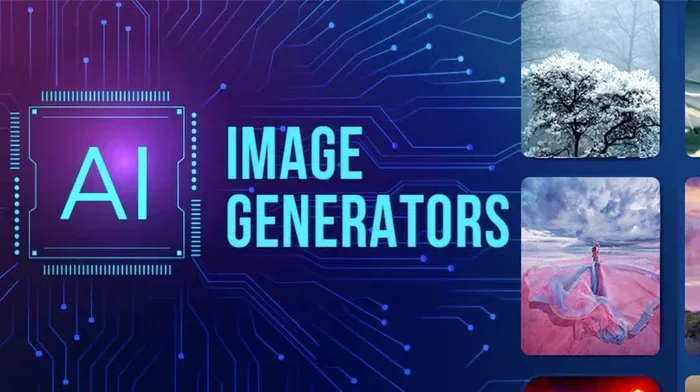
An AI image generator is a software tool that creates new images using artificial intelligence. You give it a text description, and it produces a matching picture. Behind the scenes, complex algorithms analyze patterns in thousands of images and learn to recreate them in new ways.
The technology has exploded in recent years. What once required massive research labs can now run on a decent home computer. Two main types of models power most generators today:
- GANs (Generative Adversarial Networks): Two neural networks compete with each other. One creates images, and the other tries to spot fakes. Over time, both get better, producing incredibly realistic results.
- Diffusion Models: These start with random noise and gradually refine it into a clear image. This is the technology behind Stable Diffusion and DALL-E.
Both approaches use deep learning and neural networks to understand visual patterns. You do not need to master the math behind them. You just need to know which one fits your goals.
How Does Text-to-Image AI Work?
When you type a prompt like “a golden retriever wearing sunglasses,” the AI image generator breaks your words into tokens. It then maps those tokens to visual features it learned during training. The model assembles pixels step by step until a coherent image appears.
This process is called image synthesis. It relies on computer vision techniques and massive datasets. The more diverse the training data, the better the model handles unusual prompts.
What Kind of Generator Do I Need?
Just like asking what kind of generator do I need depends on your power needs, choosing the right AI image generator framework depends on your goals. Are you building for fun, for a business, or for research? Each goal changes your approach.
Here is a simple breakdown of popular options:
- Stable Diffusion: Open source and highly customizable. Great for beginners and pros alike. Runs well on consumer GPUs.
- DALL-E (OpenAI): Powerful and easy to use via API. Less flexible for custom training but excellent out of the box.
- Midjourney: Known for artistic quality. Currently accessed through Discord, with limited customization.
- Custom GANs: Build from scratch using PyTorch or TensorFlow. Maximum control, but requires more coding knowledge.
If you want full control over your AI image generator, Stable Diffusion is the best starting point. It is free, well-documented, and backed by a huge community.
Tools and Frameworks You Will Need
Building an AI image generator does not require expensive software. Most of the best tools are open source and free. Here is what you need to get started:
Programming Language: Python
Python is the backbone of almost all generative AI projects. It is beginner-friendly and packed with libraries for machine learning. If you have never coded before, Python is the easiest language to learn first.
Deep Learning Frameworks
You will need at least one of these frameworks:
- PyTorch: Developed by Meta, it is the most popular choice for AI model training. It feels intuitive and has excellent community support.
- TensorFlow: Built by Google, it is powerful and widely used in production. Slightly steeper learning curve than PyTorch.
For most beginners, PyTorch is the recommended choice. It is more straightforward and has better tutorials for image generation projects.
Additional Tools
- CUDA: NVIDIA’s platform for GPU acceleration. Essential for fast training.
- Hugging Face: A platform with thousands of pre-trained models you can download and customize.
- GitHub: Where you will find open source code, datasets, and community support.
How to Build Your AI Image Generator Step by Step
Now comes the fun part. Here is a practical roadmap for building your own AI image generator from scratch. Follow these steps in order, and you will have a working model faster than you think.
Step 1: Set Up Your Environment
Install Python and your chosen deep learning framework. Make sure your computer has a compatible GPU. If you do not have one, cloud services like Google Colab offer free GPU access. This is a great way to start without spending money on hardware.
Think of it this way: just as you would check how much gas does a generator use before a long trip, you need to understand your computational resources before starting training.
Step 2: Choose Your Model Architecture
Decide between a GAN or a diffusion model. For beginners, starting with a pre-trained Stable Diffusion model is the smartest move. You can fine-tune it on your own data instead of training from scratch.
Here is a simple comparison:
- Training from scratch: Takes days or weeks. Requires large datasets and strong hardware.
- Fine-tuning a pre-trained model: Takes hours or days. Works with smaller datasets and modest hardware.
For your first project, fine-tuning is the clear winner.
Step 3: Gather and Prepare Training Data
Your AI image generator is only as good as the data you feed it. Collect images that match the style or subject you want your model to generate. Aim for at least a few hundred images, though more is always better.
Use data augmentation techniques to expand your dataset. Flip images, adjust brightness, and crop them to create variety. This helps the model generalize better.
Step 4: Train Your Model
Load your dataset into PyTorch or TensorFlow and start the training loop. Monitor the loss metrics closely. If the loss stops improving, adjust your learning rate or try a different architecture.
One common question is: how long does training take? It depends on your hardware and dataset size. A simple fine-tuning job might finish in a few hours on a decent GPU.
Step 5: Test and Generate Images
Once training is complete, feed your model new text prompts and see what it creates. You will likely see imperfect results at first. That is completely normal. Every great AI image generator starts with rough outputs that improve over time.
Save the best results and note what prompts produced them. This feedback loop is how you refine your model into something truly useful.
Common Mistakes to Avoid
Building an AI image generator comes with pitfalls. Here are the most common mistakes beginners make:
- Using too little training data: Your model will produce blurry or generic images. More diverse data leads to better results.
- Skipping data preprocessing: Always resize images to a consistent resolution and normalize pixel values before training.
- Ignoring overfitting: If your model memorizes the training images instead of learning patterns, it will fail on new prompts. Use dropout and regularization techniques.
- Underestimating compute needs: Training on a CPU alone is painfully slow. A GPU is practically essential for any serious project.
- Not testing frequently: Check your model’s output every few hours. Catching problems early saves days of wasted training time.
Expert Insights on Building Custom AI Models
Experienced developers in the generative AI space share a few key insights that can save you months of trial and error:
Start small and scale up. Do not try to build a production-quality model on day one. Build a simple proof of concept first. Get it generating images, even if they are rough. Then improve it incrementally.
Leverage the community. Platforms like Hugging Face and Reddit’s r/StableDiffusion are goldmines of knowledge. People share pretrained models, training scripts, and tips every day. You do not have to figure everything out alone.
Focus on data quality over quantity. Fifty well-curated, high-resolution images can outperform five hundred sloppy ones. Spend time cleaning and organizing your dataset before you start training.
One question that comes up often is how long can a generator run continuously. In the AI world, the answer is similar: your model can keep generating images as long as you have the compute resources. The key is making sure your system is stable and optimized for extended use.
Legal and Ethical Considerations
Building an AI image generator comes with responsibilities. The technology is powerful, and how you use it matters.
Always respect copyright when gathering training data. Do not scrape images that you do not have permission to use. Many artists have raised valid concerns about AI models trained on their work without consent. Be mindful of these issues as you build.
If you plan to release your AI image generator publicly, consider adding safeguards. Watermark generated images, include disclaimers, and implement filters to prevent harmful content creation. Ethical AI development builds trust and ensures the technology benefits everyone.
Transparency is also important. Let users know they are viewing AI-generated content. This simple step goes a long way in maintaining credibility and trust.
Conclusion
Building your own AI image generator is a rewarding journey that blends coding, creativity, and machine learning. You do not need to be an expert to start. With free tools like Python, PyTorch, and Stable Diffusion, anyone can create a custom model that generates images from text prompts.
Start small. Choose a framework. Gather your data. Train your model. Test it, learn from it, and improve it. Each project teaches you something new. The AI image generator you build today might become the foundation for something incredible tomorrow.
The world of generative AI is moving fast. The skills you learn by building from scratch will serve you well no matter where the technology goes next. So grab your laptop, open your code editor, and start creating. Your first AI-generated image is just a few steps away.
Frequently Asked Questions
Can a beginner really build an AI image generator?
Absolutely. With free tools like Python and PyTorch, anyone can start. Fine-tuning a pre-trained model like Stable Diffusion is the easiest path. You do not need advanced math or years of experience. Just curiosity and patience.
How long does it take to build a custom AI image generator?
A basic fine-tuning project can be completed in a weekend. Training from scratch takes longer, often several days depending on your hardware. The learning curve is steep at first, but it gets easier with each project you complete.
Do I need an expensive GPU to build an AI image generator?
Not necessarily. Many cloud platforms offer free GPU access for training. Google Colab is a popular choice for beginners. A mid-range GPU like an NVIDIA RTX 3060 can handle most projects comfortably.
What is the difference between GANs and diffusion models?
GANs use two competing neural networks to create realistic images. Diffusion models start with random noise and gradually refine it into a clear picture. Diffusion models currently produce higher quality results and are easier to train for most users.
Is it legal to train an AI image generator on existing images?
It depends on the source and your intended use. Always check the license of any dataset you use. Using copyrighted images without permission can lead to legal issues. Stick to publicly available or properly licensed datasets to stay safe.
Can I sell images generated by my AI image generator?
Yes, in most cases. However, the legal landscape around AI-generated content is still evolving. Check the terms of your training data licenses and stay informed about local regulations. Transparency about AI involvement is always a good practice.